
Menu Sections (Turn Off What You Don't Use)
Not every unit uses every part of MySummitKeep. Menu Sections lets a unit admin turn off the parts your unit does not use, so the menu shows only what your families and leaders actually need. It is a tidy-up switch for your unit only: other units are not affected, and nothing is deleted.
You will find it under Settings in the Unit Settings group, at /settings/modules. It is available on every plan.
Who can use it
Section titled “Who can use it”Only a unit admin, someone who holds the unit-settings permission (Settings.Update), can turn a section off or on. Everyone in the unit can see the result, because their menu changes, but only admins see who turned a section off and when.
| Action | Who |
|---|---|
| See that a section is off (menu and pages) | Everyone signed in to the unit |
| See who turned it off, and when | Unit admins |
| Turn a section off or back on | Unit admins |
The sections you can turn off
Section titled “The sections you can turn off”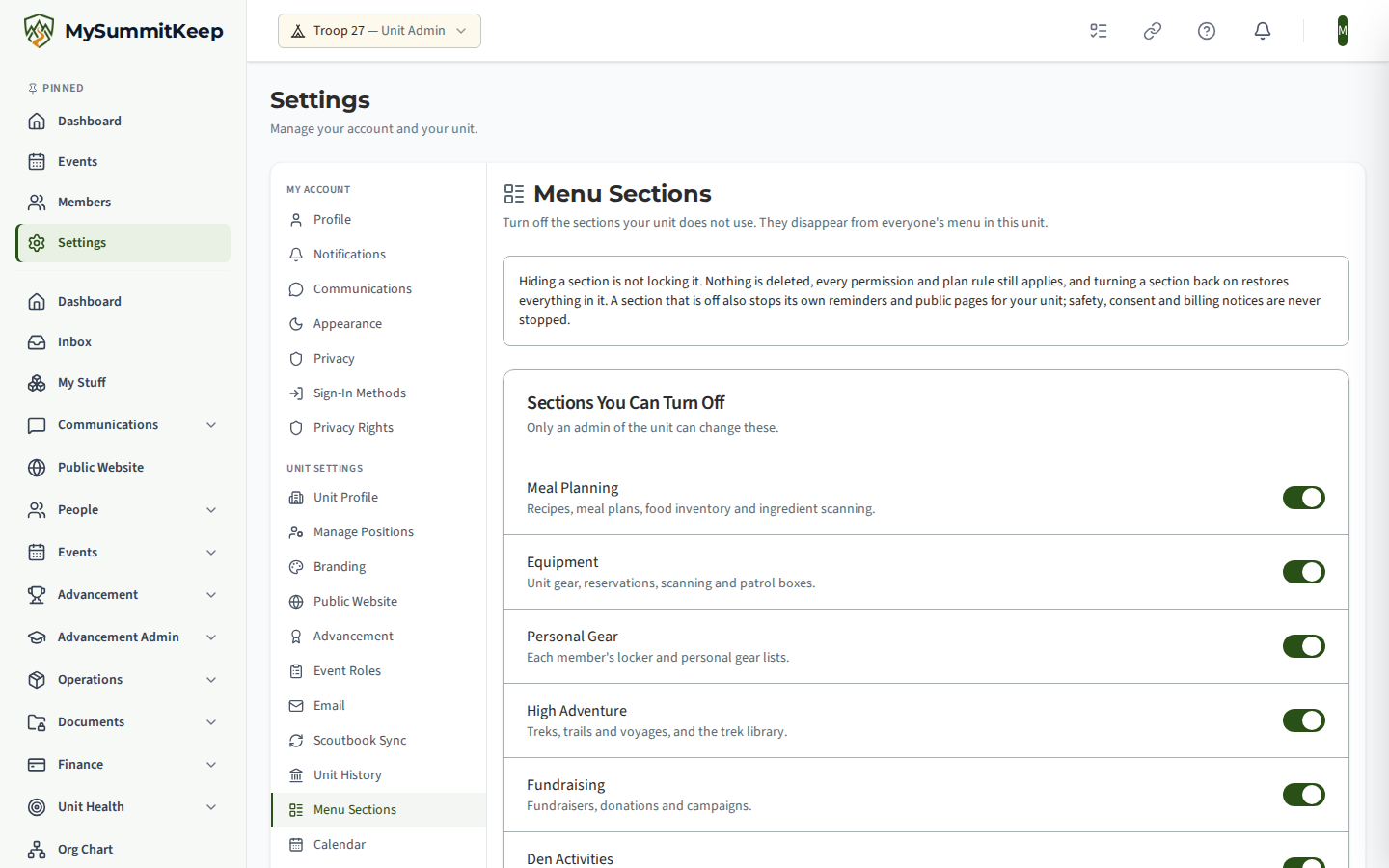
| Section | What it covers |
|---|---|
| Meal Planning | Recipes, meal plans, food inventory and ingredient scanning |
| Equipment | Unit gear, reservations, scanning and patrol boxes |
| Personal Gear | Each member’s locker and personal gear lists |
| High Adventure | Treks, trails and voyages, and the trek library |
| Fundraising | Fundraisers, donations and campaigns |
| Den Activities | Den meeting activity plans for Cub Scout packs |
| Elections | Unit elections and ballots |
| Surveys | Unit surveys and responses |
| Summer Camp | Summer camp planning and registration |
| Unit Health | The unit success plan and self-assessment |
Turning a section off
Section titled “Turning a section off”- Open Settings, then Menu Sections.
- Flip the switch for the section.
- Read the confirmation and choose Turn Off.
The confirmation says exactly what happens: This hides the section from everyone’s menu in this unit. Nothing is deleted. Its reminders and public pages stop for this unit until you turn it back on.
Turning a section back on is one click and needs no confirmation.
What people see when a section is off
Section titled “What people see when a section is off”- The section’s entries disappear from the menu, including the More menu and the bottom bar on a phone.
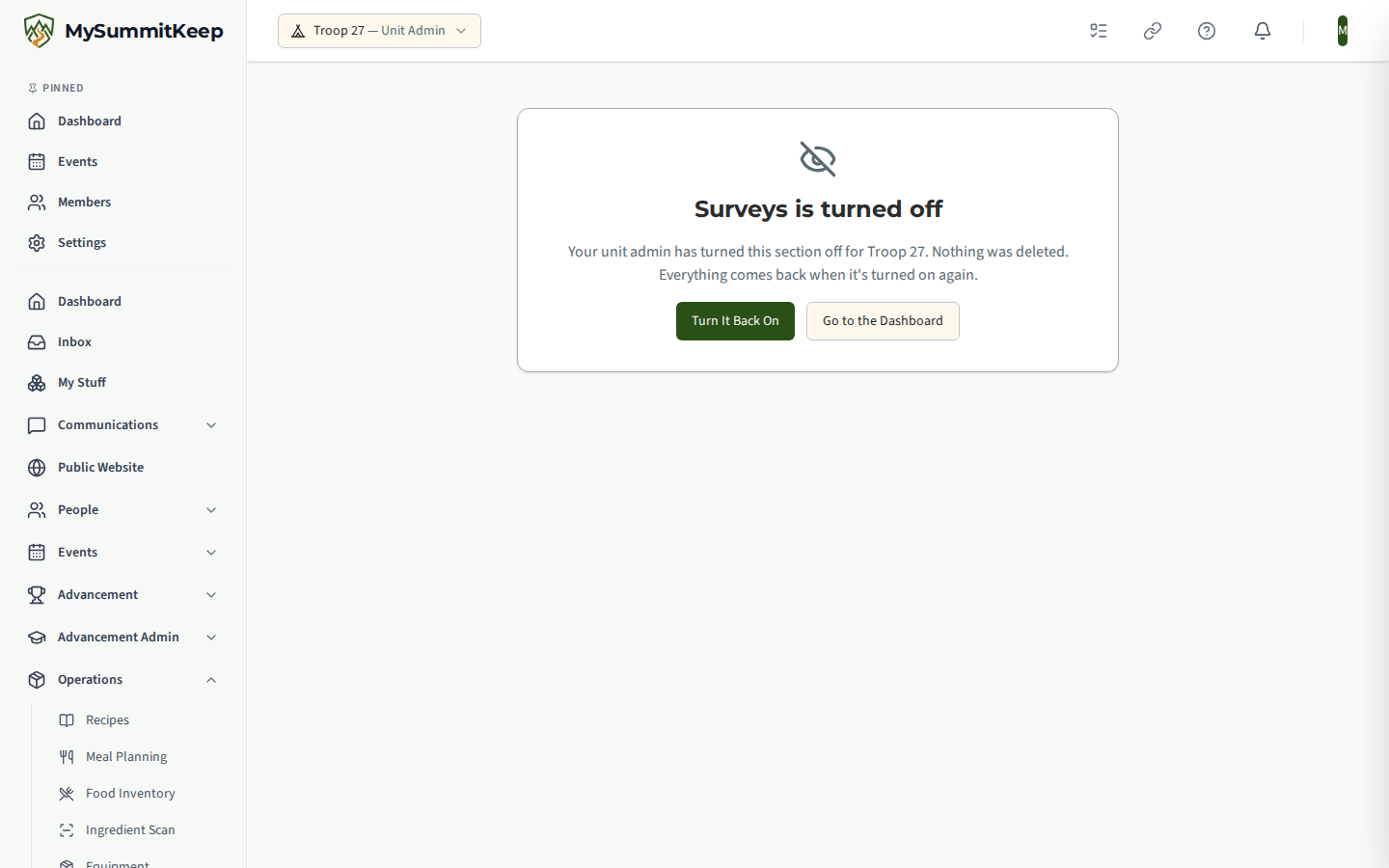
- If someone opens one of its pages anyway, from a bookmark or an old link, they see a friendly page instead: “(Section name) is turned off”. It explains that their unit admin turned it off and that nothing was deleted. Admins get a Turn It Back On button; everyone else is told to ask a unit admin.
- A favorite someone pinned in the menu is hidden while the section is off, and comes back by itself when the section is turned on.
What turning a section off does not do
Section titled “What turning a section off does not do”Hiding a section is not locking it.
- Nothing is deleted. Every recipe, gear item, survey and record stays exactly where it was, and returns when the section is turned on.
- Permissions and plans are unchanged. Switching a section off does not give anyone access to anything, and switching it on never grants access your plan or role does not already allow.
- Its reminders and public pages go quiet too. Switching a section off also stops that section’s own reminders and public pages for your unit, and they come back when you turn it on. Today that means: High Adventure stops the payment-due reminders for trek and voyage reservations, Unit Health stops the scheduled Unit Health report email and the Send now button on a Unit Health report (it says the section is switched off), and Fundraising closes your public donation pages (a donor who opens an old link sees the same “no longer available” page as for any unknown link, and no new donation can start). Reminders and public pages for events, advancement, health and safety, consent, messaging and billing are never stopped by a menu switch.
- Donation pages stay stored. While Fundraising is off, the Donate page and any donation sections stay stored. In the public-site editor the Donate page is marked Hidden, and a page that has a donation section shows a note saying the section is hidden. A donation section you delete in the editor while Fundraising is off comes back when you save, so remove it after switching Fundraising back on. The same goes for resetting the public site: while Fundraising is off, a reset keeps the Donate page and any donation sections and clears everything else.
- Links inside other pages still lead to the “turned off” page. For example, a Meals tab on an event is not removed; opening it shows the notice.
What can never be turned off
Section titled “What can never be turned off”Some parts of MySummitKeep protect Scouts, families and your unit, so they are always on and have no switch:
- Health and safety, and permission slips and consent
- Messaging and moderation
- Training
- The activity log and the recycle bin
- Members and families
- Finance and billing
- Settings
The page lists these in a read-only Always on panel. A request to switch off anything outside the list above is refused.
A record of every change
Section titled “A record of every change”Each time a section is turned off or on, MySummitKeep adds a line to your unit’s Activity Log naming who did it and when, so a change is never silent. The Menu sections page also shows, beside a section that is off, who turned it off and on what date.
Related
Section titled “Related”MySummitKeep is an independent product and is not affiliated with, endorsed by, or sponsored by Scouting America (formerly the Boy Scouts of America). Scouting America, Scouts BSA, Cub Scouts, Venturing, Sea Scouts, and the Order of the Arrow are trademarks of Scouting America. Official program content shown in screenshots and examples is © Scouting America; always confirm current requirements atscouting.org. SeeTerms § 7.3.