
Bringing Your Council to MySummitKeep
If you run a BSA council — as a Scout Executive, a registrar, or council office staff — you can bring your whole council onto MySummitKeep instead of registering units one at a time. The public request form at /request-council collects a few details, and our team reviews every request by hand. No payment is collected on this form; council licenses are sold separately and we will contact you.
This page walks through the four steps of the request form, what each piece of information is used for, and what happens after you hit Submit request.
Who should request a council
Section titled “Who should request a council”This form is for council-level onboarding — when you want MySummitKeep to host your council, districts, and the units underneath them. The person submitting should be someone the council recognizes as a point of contact for onboarding decisions (for example, a Scout Executive, an assistant SE, or the council registrar).
If you are a single unit leader — a Cubmaster, Scoutmaster, Crew Advisor, or Skipper — you usually want to claim or register your unit, not the whole council. See the Unit Leader Getting Started guide, which uses the in-app Register a unit flow (/register-unit) instead.
Step 1 — About your council
Section titled “Step 1 — About your council”The form opens on the About Your Council step. You’ll see a four-icon stepper across the top — Council, Contact, Scale, Review — that tracks where you are.
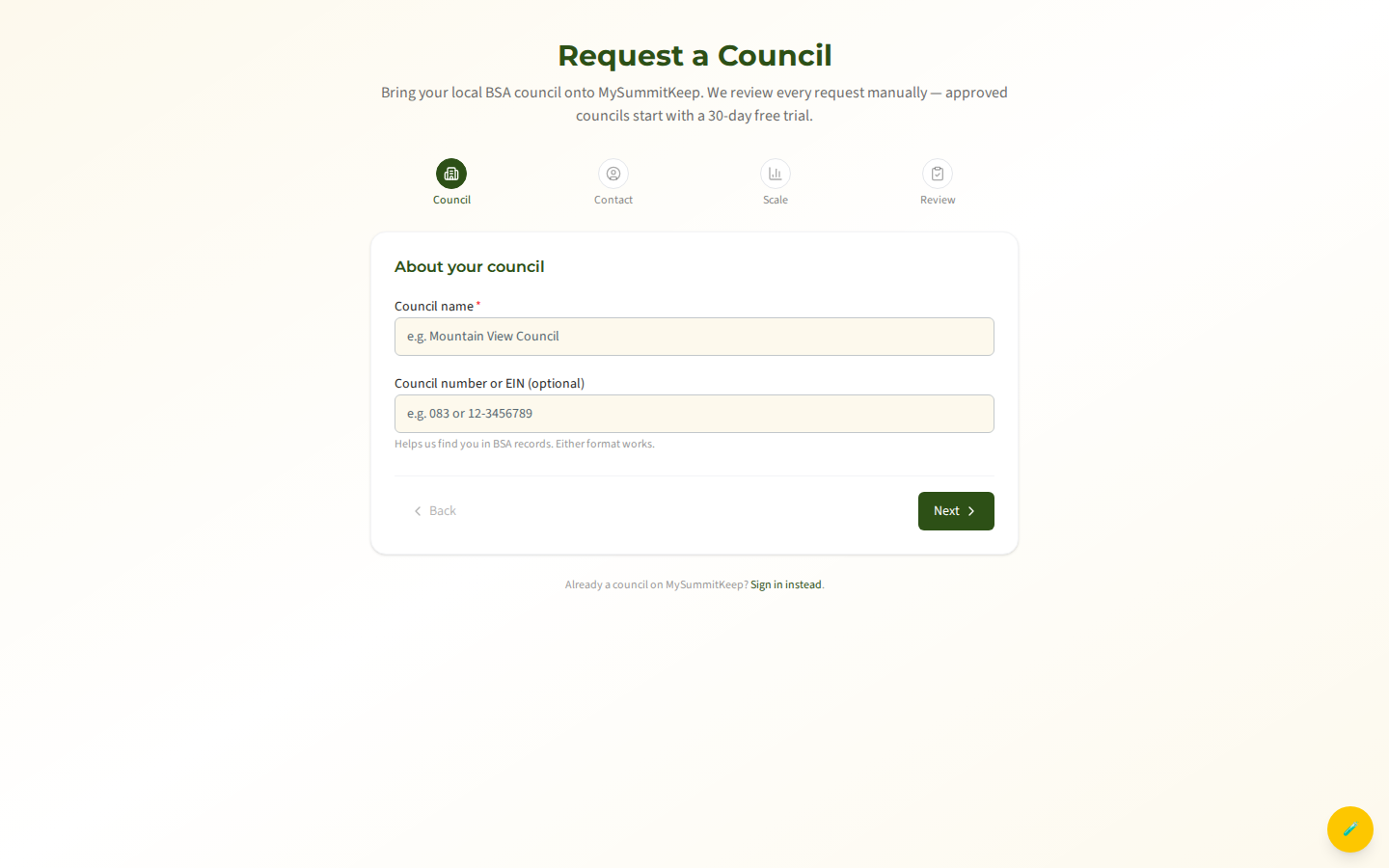
Two fields here:
- Council name (required) — the official name of your council, e.g. “Mountain View Council.” It must be at least 3 characters.
- Council number or EIN (optional) — either your BSA council number (e.g.
083) or your federal EIN (e.g.12-3456789). Either format works. This helps us match your request to BSA records, but you can leave it blank if you don’t have it handy.
Click Next to continue. If a field needs attention, an inline message appears at the top of the form and you stay on the current step.
Step 2 — Contact information
Section titled “Step 2 — Contact information”Next we ask how to reach the person making the request.
- Your name (required)
- Email (required) — this is where our review decision and onboarding next steps are sent, so use an address you actually monitor.
- Phone (optional)
Step 3 — Council size estimates and region
Section titled “Step 3 — Council size estimates and region”This step helps us size your council onboarding. Rough estimates are completely fine — these numbers are for sizing the onboarding, not a commitment.
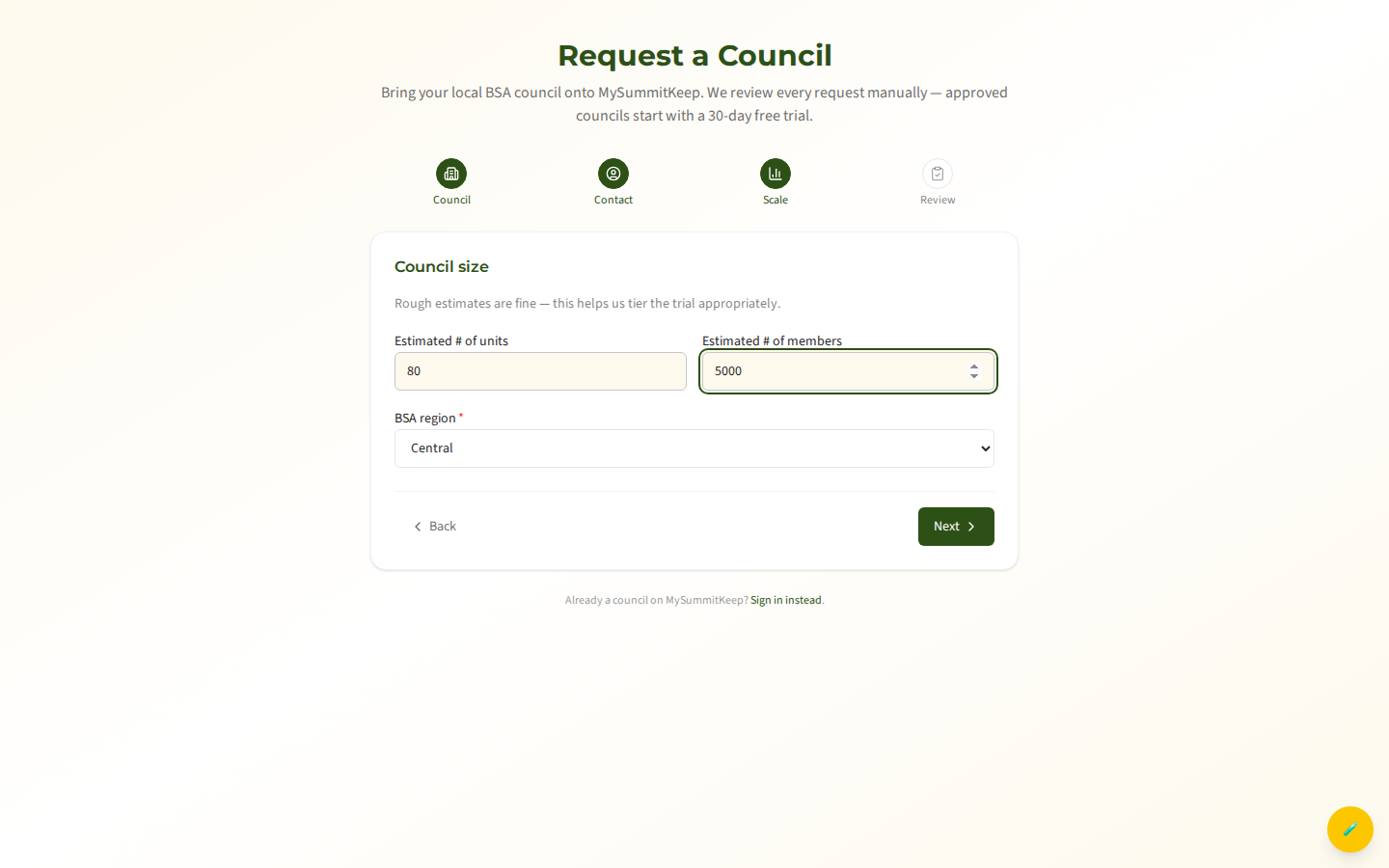
- Estimated # of units — roughly how many packs, troops, crews, ships, and posts your council charters.
- Estimated # of members — roughly how many youth and adult members across the council.
- BSA region (required) — choose from NorthEast, Central, Southern, or Western.
Both count fields accept whole numbers of zero or higher, so an honest ballpark is all we need.
Step 4 — Review and submit
Section titled “Step 4 — Review and submit”The final step shows everything you entered on one summary screen — council name, council number/EIN, requestor, email, phone, region, and your two estimates — so you can check it before sending.
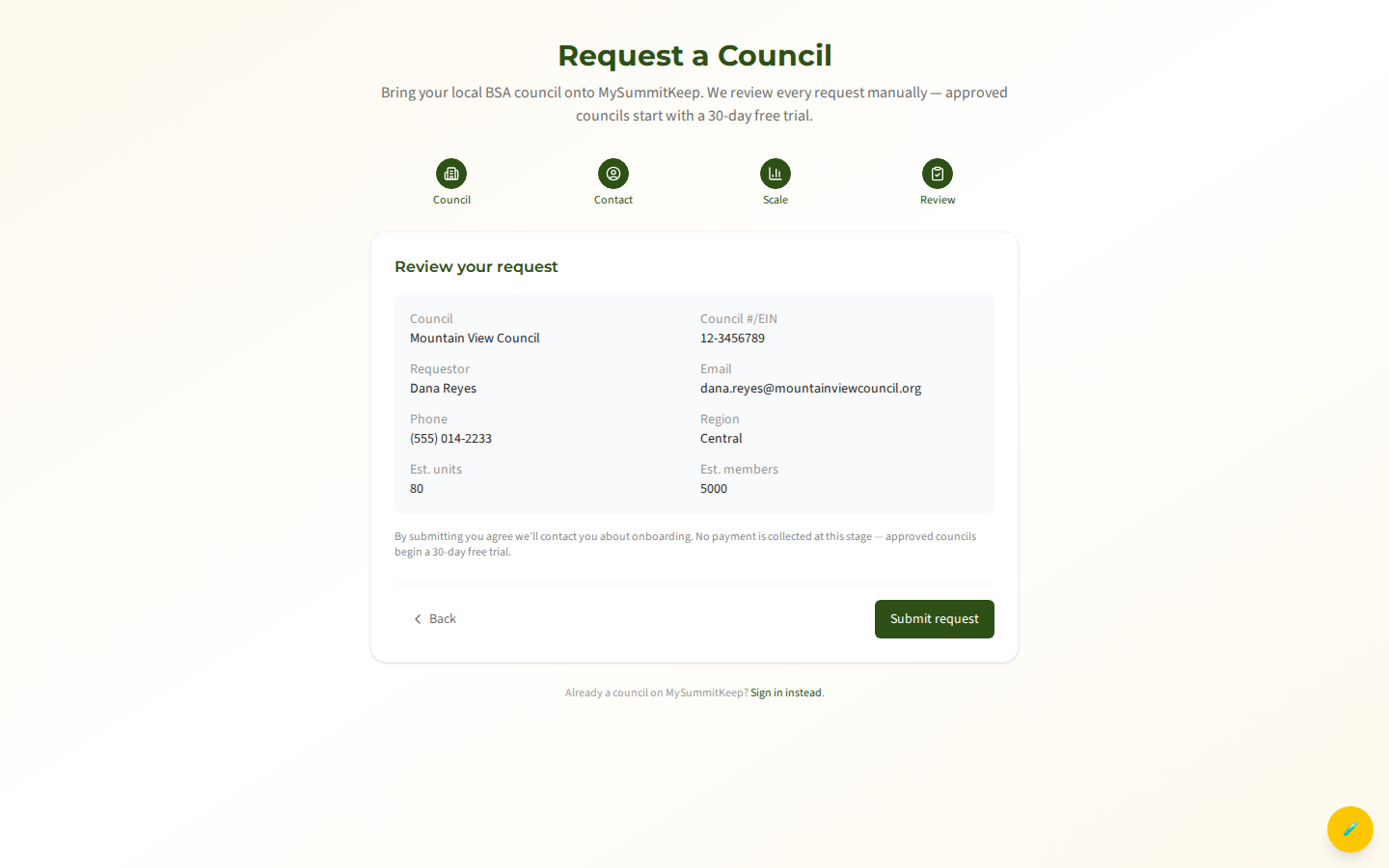
If something looks off, use Back to return to any earlier step and correct it. When the summary is right, click Submit request. A reminder on this screen confirms that no payment is collected at this stage — council licenses are sold separately and we will contact you.
What Happens Next
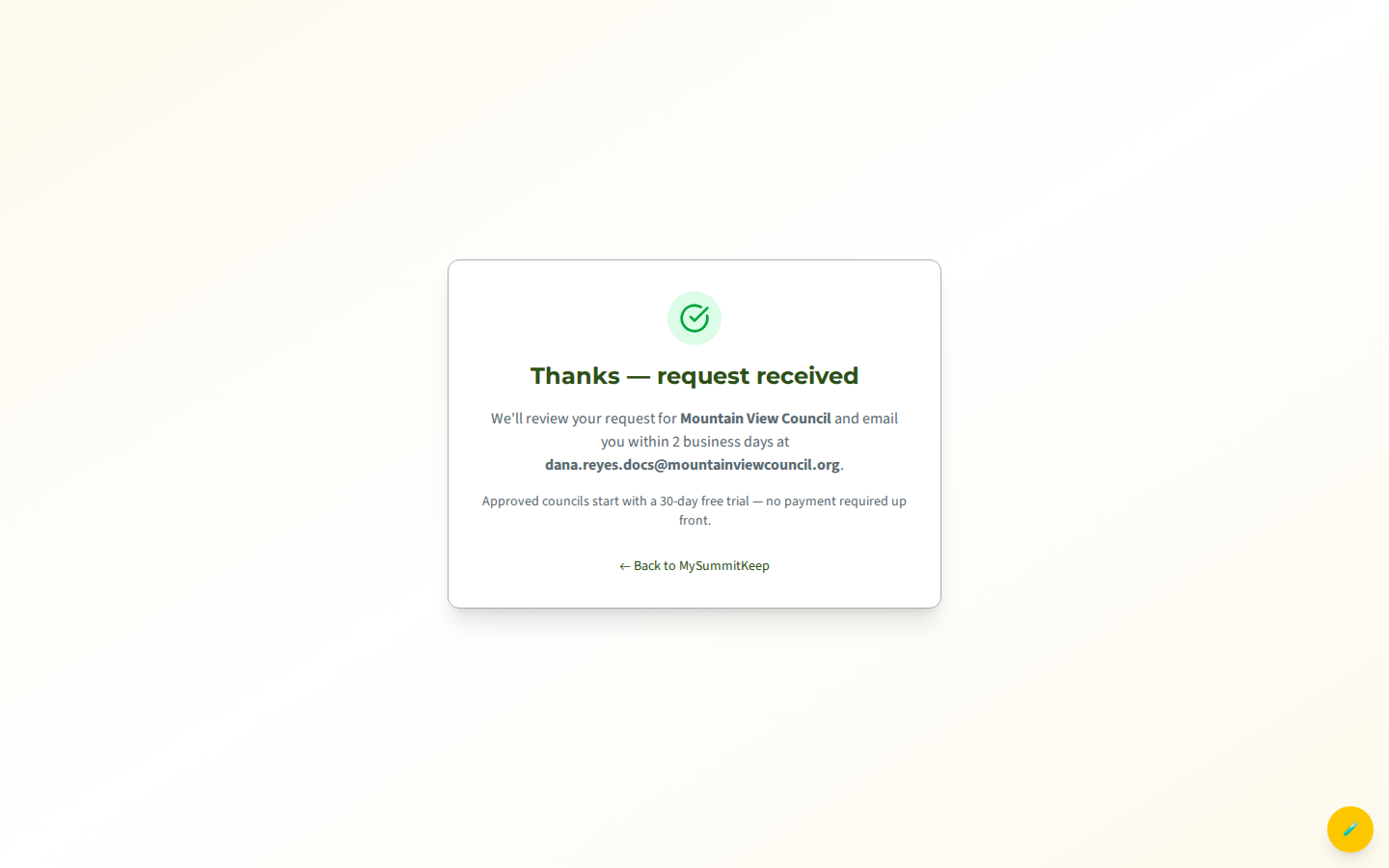
Section titled “What Happens Next”After you submit, you’ll see a thank-you confirmation instead of being redirected anywhere. It names your council and the email address we’ll use to reach you.
Behind the scenes:
- Your request is saved and our team is notified automatically.
- A real person reviews it. There is no instant approval — every council request is reviewed manually. We aim to email you a decision within 2 business days at the address you provided.
- On approval, your council is created, and we contact you about onboarding next steps and your council license, which is sold separately.
How council onboarding differs from registering a single unit
Section titled “How council onboarding differs from registering a single unit”It’s worth being clear about the two front doors into MySummitKeep, because they lead to very different places:
Request a council (/request-council) |
Register a unit (/register-unit) |
|
|---|---|---|
| Who it’s for | Council staff (Scout Executive, registrar) | A single unit’s leader |
| What gets created | The whole council, with districts and units under it | One pack, troop, crew, ship, or post |
| Approval | Manual review by our team (within ~2 business days) | Self-service — you get into your unit right away |
| Licensing | Council license, sold separately; we contact you | Per-unit plan (Basecamp, Summit or Peak) |
| Sign-in needed | No — fully anonymous | No — but you’ll set up your account in-flow |
If you started here but you’re really just trying to get your unit running for the next meeting, head to the Unit Leader Getting Started guide and use Register a unit instead. Once your unit is live, Member Import gets your roster loaded in minutes.
MySummitKeep is an independent product and is not affiliated with, endorsed by, or sponsored by Scouting America (formerly the Boy Scouts of America). Scouting America, Scouts BSA, Cub Scouts, Venturing, Sea Scouts, and the Order of the Arrow are trademarks of Scouting America. Official program content shown in screenshots and examples is © Scouting America; always confirm current requirements atscouting.org. SeeTerms § 7.3.