
Health & Safety
The Health & Safety page is your unit’s single hub for everything that keeps Scouts safe at meetings, camps, and on the trail: BSA Annual Health and Medical Records (AHMR), Safeguarding Youth training, emergency contacts, swim classifications, and safety-incident logging. You reach it from the main sidebar at /health-safety.
Find it in the left menu: Admin → Health & Safety.
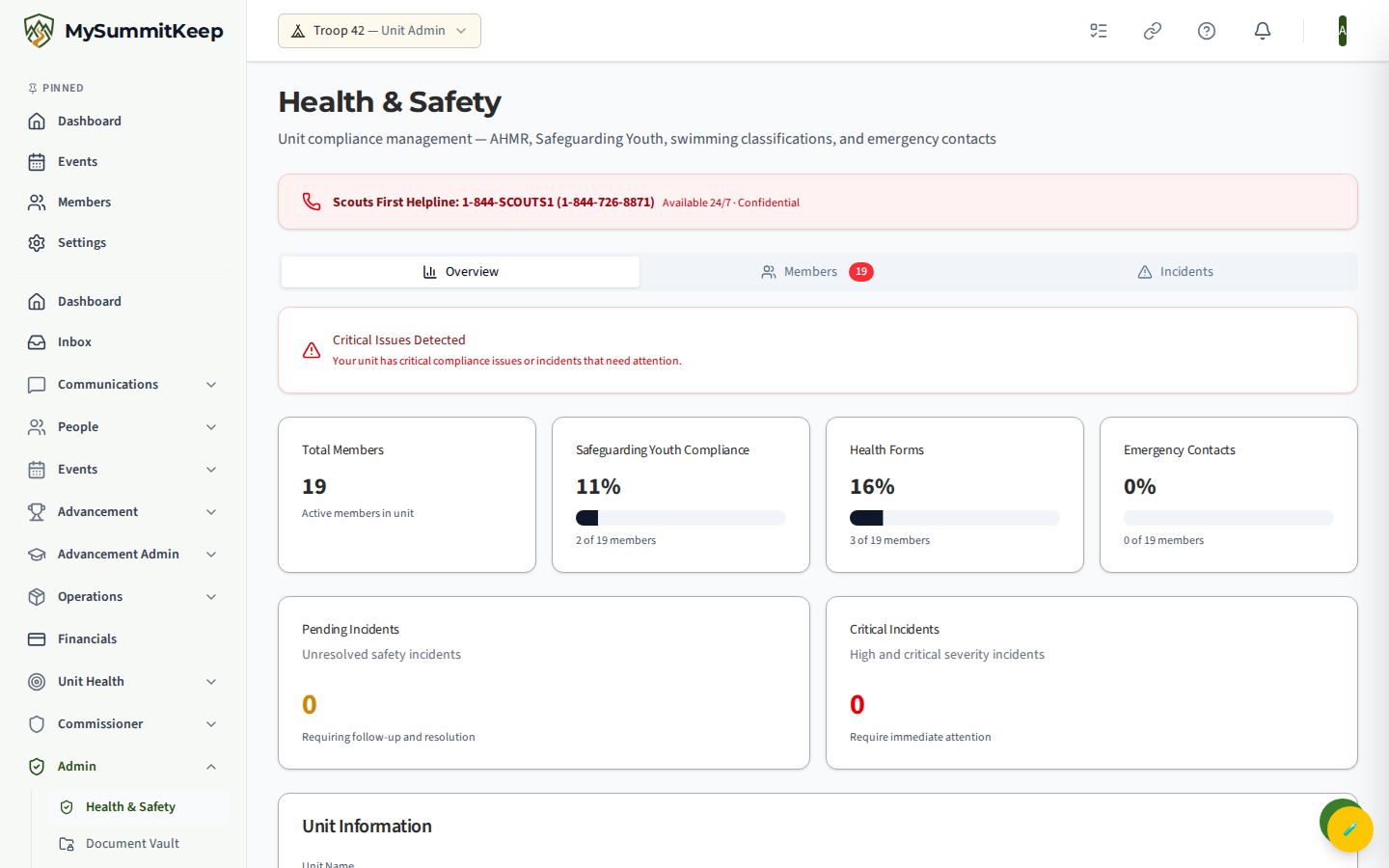
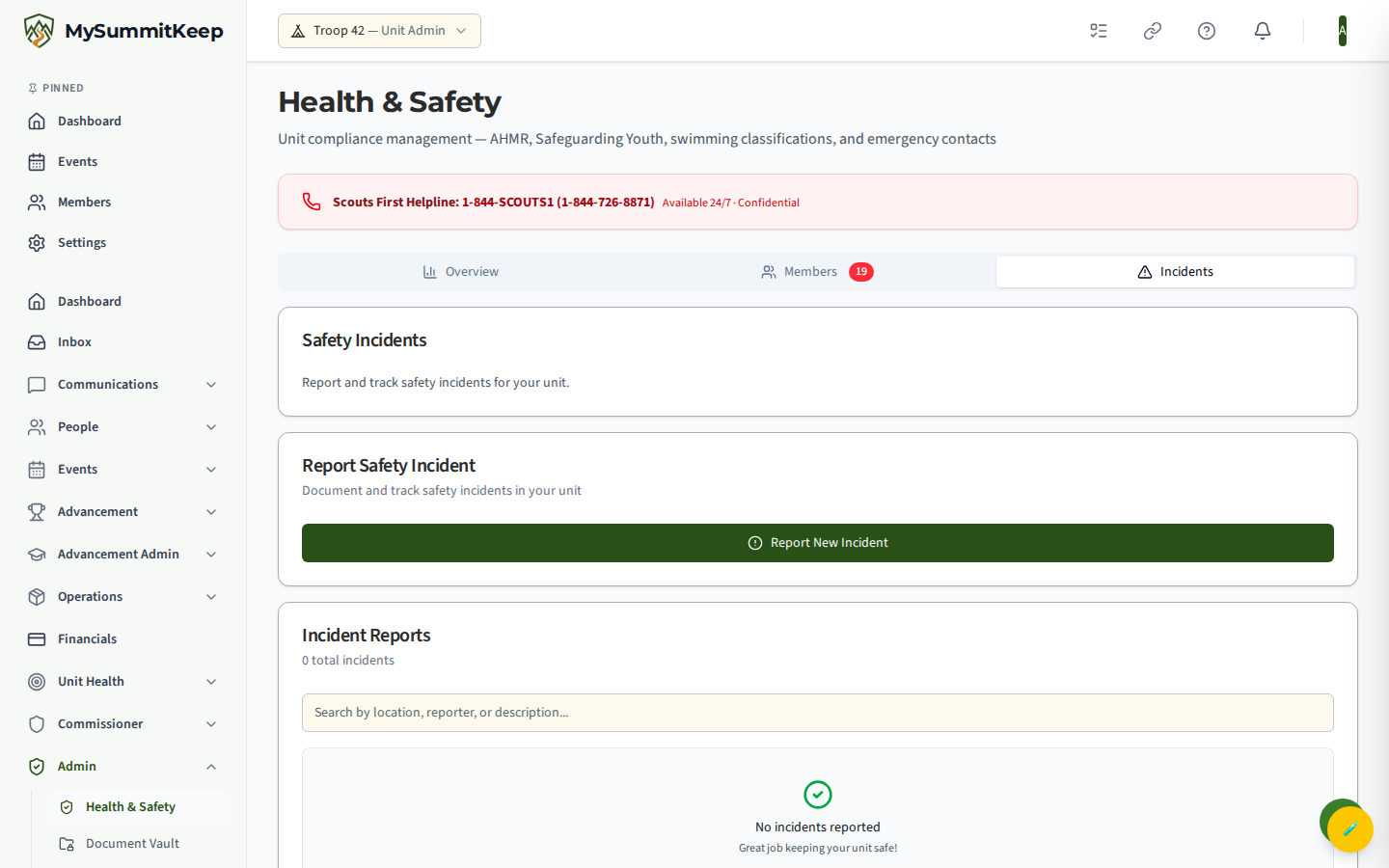
A red banner at the top of the page always shows the Scouts First Helpline (1-844-SCOUTS1) — a confidential, 24/7 line for reporting safety or youth-protection concerns.
The three tabs
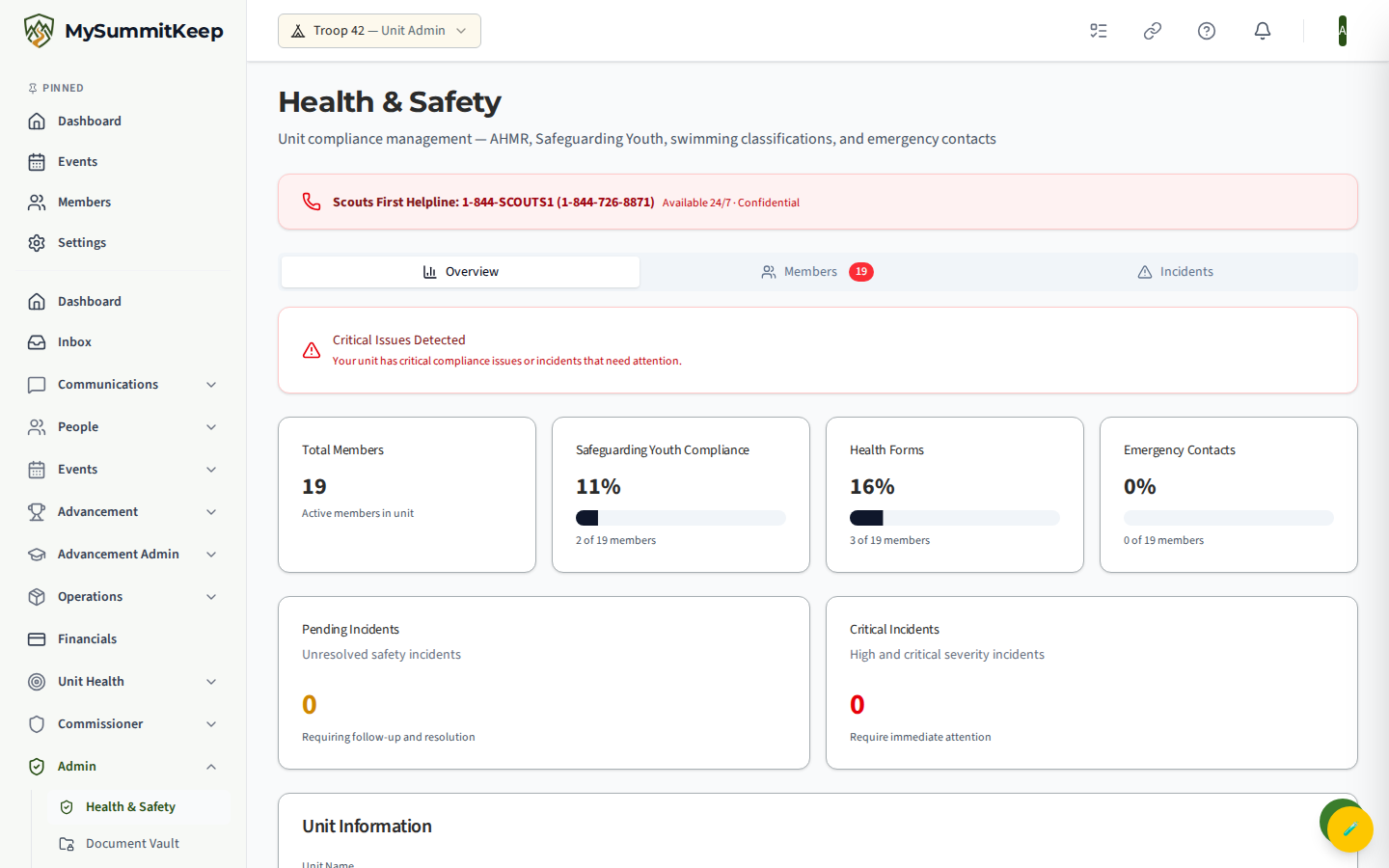
Section titled “The three tabs”The dashboard is organized into three tabs: Overview, Members, and Incidents.
Overview
Section titled “Overview”The Overview tab gives you the at-a-glance compliance picture for the whole unit, plus two attention cards:
- A Safeguarding Youth refresher card flags any member whose most recent record is a refresher with no qualifying prior full course on file. Per BSA policy a refresher only counts when a prior full Safeguarding Youth course (SCO_3014 / SCO_3014S / Y01) was still valid within 7 days of the refresher’s completion — those members need to retake the full course.
- A Swimmer Classifications card counts your unit by category: Swimmer, Beginner, Non-swimmer, Not recorded, and how many classifications have expired (older than one year).
Members
Section titled “Members”The Members tab is a per-member compliance table. Each row shows the member’s status for AHMR, SYT (Safeguarding Youth Training), Emergency Contact, Swim classification, a youth-leadership training column, and an overall Status badge (Compliant, Expiring, or Non-compliant). A green check means current, a clock means expiring soon, and a red X means missing or expired.
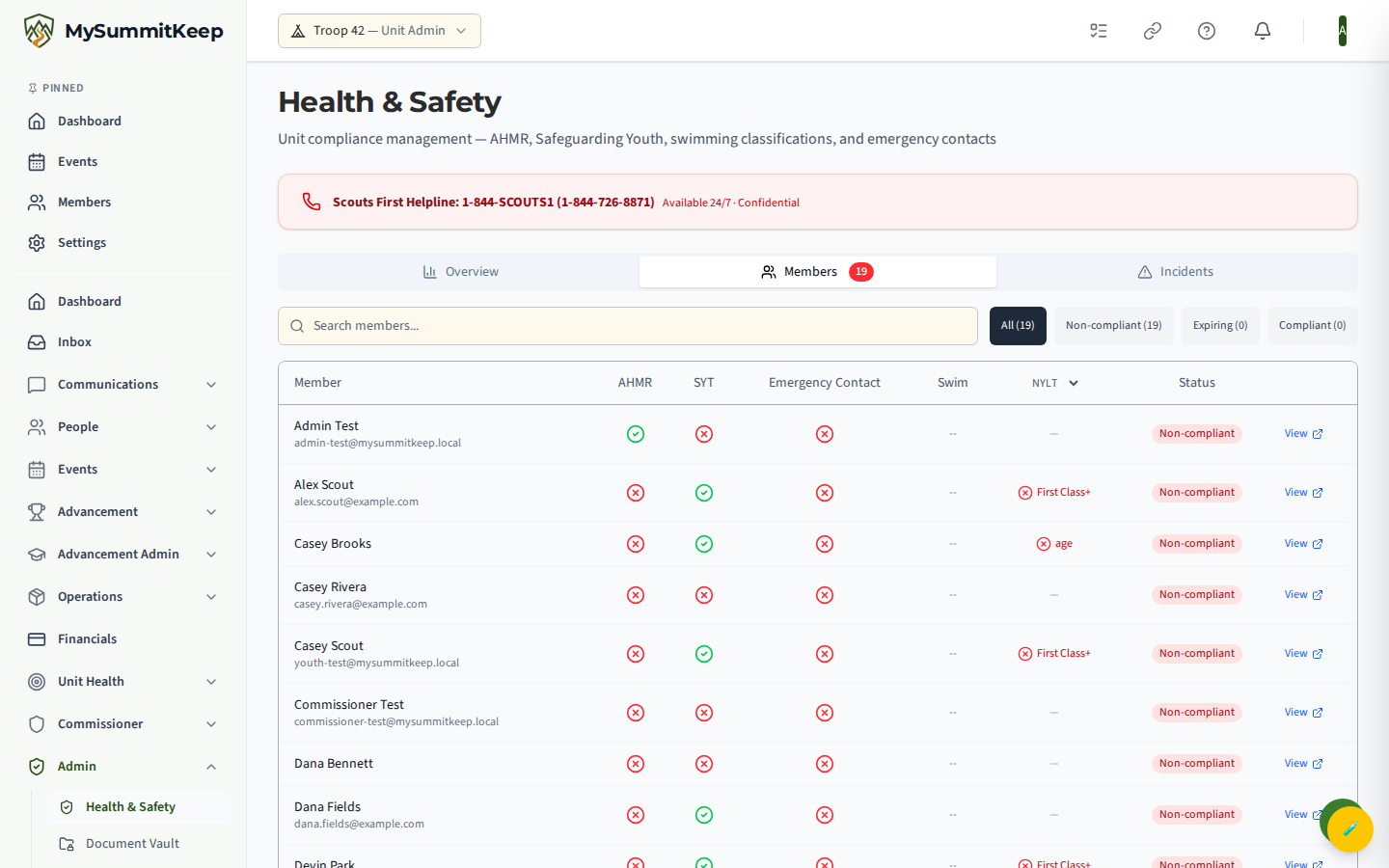
Use the search box to find a member by name or email, and the All / Non-compliant / Expiring / Compliant filter buttons to narrow the list. The Members tab counts non-compliant members in a small red badge on the tab itself, so you can spot gaps before a trip.
Click View on any row to open that member’s record on the Health & Safety tab (/members/:memberId?tab=health), where you upload forms and manage the details below.
AHMR health forms (Parts A, B, C)
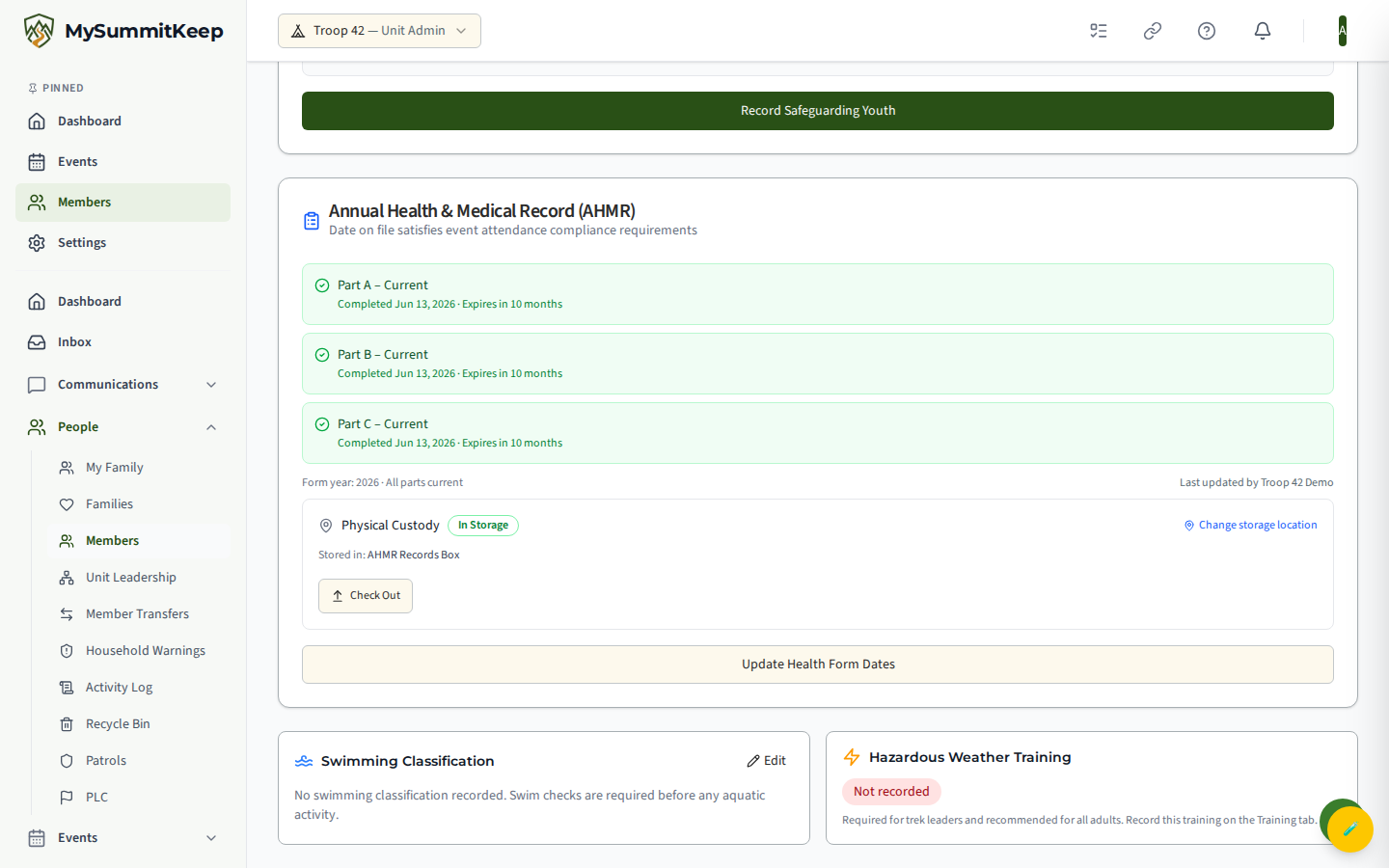
Section titled “AHMR health forms (Parts A, B, C)”The Annual Health and Medical Record is tracked as three parts, each with its own completion and expiration date:
- Part A — general information and informed consent.
- Part B — health history.
- Part C — the physical exam, signed by a licensed medical provider. Required for activities longer than 72 hours (resident camp, high adventure).
You upload and edit a form from a member’s Health & Safety tab. Enter the form year and the completed/expires dates for whichever parts apply, and attach the PDF. The platform shows each part as Valid, Expiring Soon (within 30 days), or Expired.
Custody and check-out tracking
Section titled “Custody and check-out tracking”The physical AHMR has to travel with the unit, so each form has physical-custody controls for the leaders who carry the binder:
- Assign a storage location — point the form at one of your Patrol Boxes (typically a Documents box) so everyone knows where the paper copy lives.
- Check Out — record that you have removed the form from storage; add an optional note like “Taking to summer camp.” Your identity and the time are logged automatically.
- Check In — return it to storage when the trip is over.
The status badge shows In Storage or Checked Out, along with who took it and when.
Safeguarding Youth (YPT)
Section titled “Safeguarding Youth (YPT)”Every adult leader must keep Safeguarding Youth Training current. When no explicit expiration date is recorded, the platform treats a completion as valid for two years. From a member’s Health & Safety tab a leader or admin can record a completion (completion date, expiration date, and an optional provider and external/certificate ID) and attach the certificate as a PDF or image (PDF, JPG, or PNG). Certificate files are accessed through short-lived secure download links (valid about an hour), never a public URL.
Emergency contacts
Section titled “Emergency contacts”Each member can have several emergency contacts, with one marked primary. Add, edit, or remove them from the member’s Health & Safety tab. The Members table flags anyone with no emergency contact on file with a red X so you can chase it down before the next outing.
Incidents
Section titled “Incidents”The Incidents tab is where you log and track safety incidents. The report form captures the Incident Date & Time, Location, a Severity Level (Low, Medium, High, or Critical), and a Description of what happened, who was involved, and the outcome. Critical incidents prompt a reminder to notify unit leadership immediately. Below the form, the Safety Incidents list shows every logged incident (including resolved ones), and you can update an incident with the actions taken and a resolved date.
Privacy and storage
Section titled “Privacy and storage”Health forms hold sensitive medical information, so the platform treats them carefully:
- Encrypted at rest in Microsoft Azure (server-side, AES-256) and transmitted only over HTTPS.
- Who can view a form: only your unit’s designated Health & Safety leaders and the parent or guardian who uploaded it. Other members and other units cannot read it.
- Retention: a form is removed after the Scout deactivates, plus a one-year BSA insurance window. Full details are in the Children’s Privacy Policy.
Never email a health form or post it to a shared drive — keep it inside the platform, where access is controlled.
What parents see
Section titled “What parents see”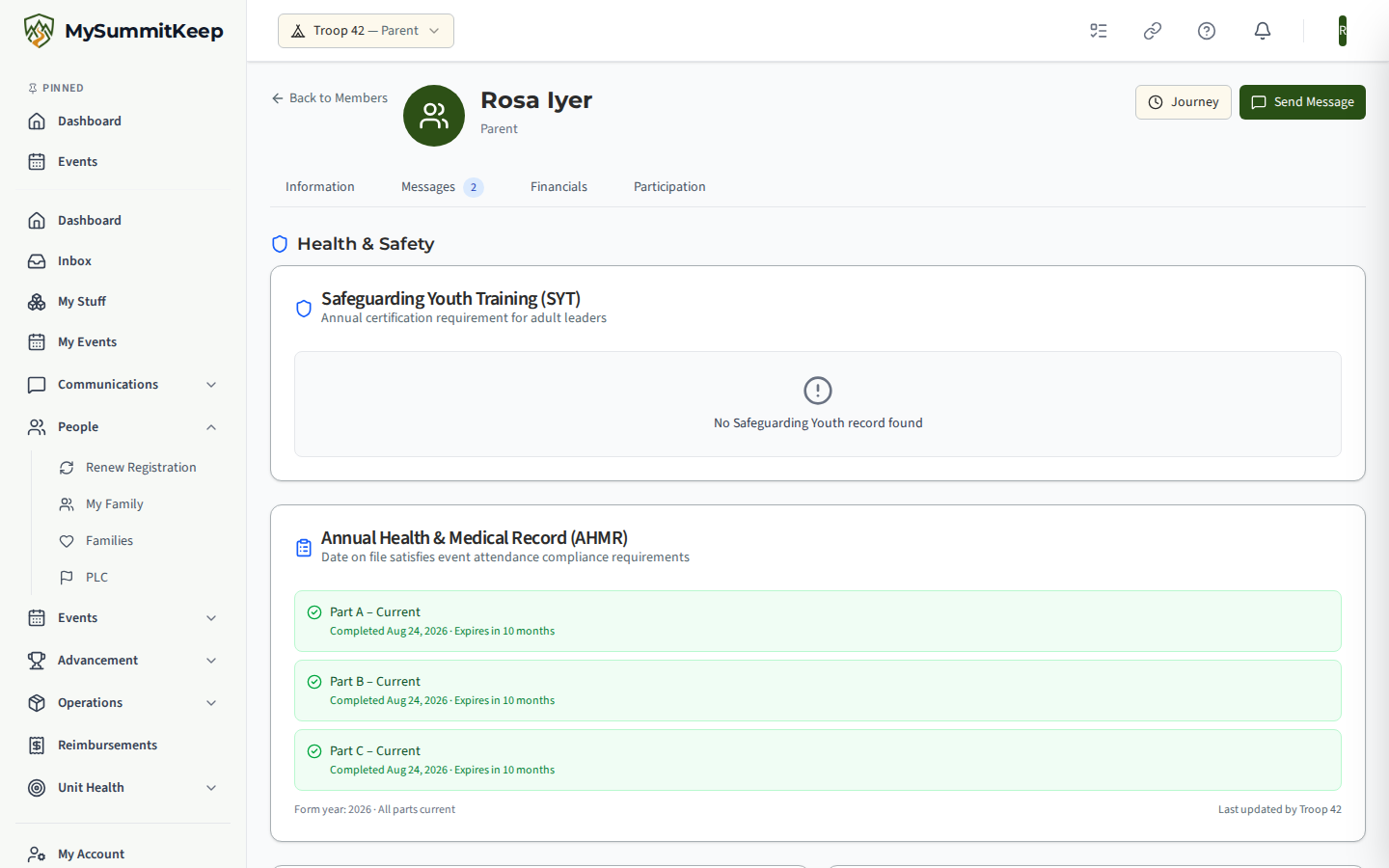
Parents are not admins, so the /health-safety dashboard is not for them — opening it redirects to /profile?tab=health, their own health view. There, a parent (or adult leader) reviews and uploads their own AHMR and that of the Scouts they manage from the Family page. They never see other families’ medical information.
Need help? Contact support — we usually respond within 1 business day.
MySummitKeep is an independent product and is not affiliated with, endorsed by, or sponsored by Scouting America (formerly the Boy Scouts of America). Scouting America, Scouts BSA, Cub Scouts, Venturing, Sea Scouts, and the Order of the Arrow are trademarks of Scouting America. Official program content shown in screenshots and examples is © Scouting America; always confirm current requirements atscouting.org. SeeTerms § 7.3.