
Help & Support
The Help & Support page is the in-app front door for getting help: “Get help, report a bug, or request a feature.” Open it at /help.
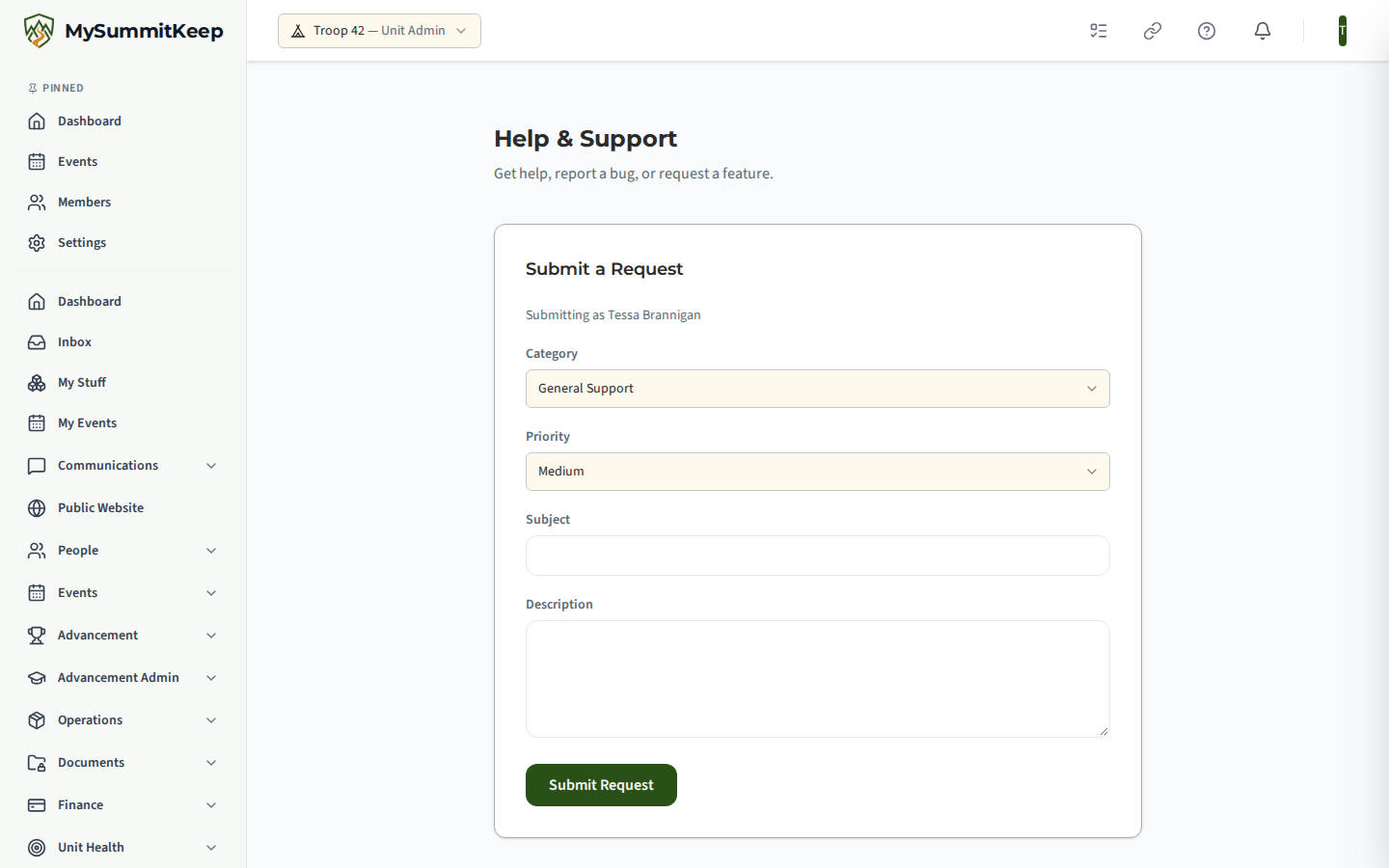
Submitting a request
Section titled “Submitting a request”The Submit a Request card sends a ticket to the MySummitKeep support team. The form tells you who you are submitting as, then asks for:
- Category: Bug Report, Feature Request or General Support. General Support is selected by default.
- Priority: Low, Medium or High. Medium is selected by default.
- Subject (required, up to 200 characters).
- Description (required, up to 4,000 characters).
Click Submit Request. The button reads “Sending…” while it works. On success the card is replaced by Request submitted! We’ll be in touch. with a Submit Another button. If something goes wrong, a red message explains and your text stays in place so you can try again.
The ticket also records the page address you were on when you sent it, which helps the team find what you were looking at.
Quick help articles
Section titled “Quick help articles”Below the form, the Knowledge Base card lists short help articles. Click a title to expand it and click again to collapse it. Two links at the top of the card go further:
- Browse All Articles opens the full Knowledge Base inside the app.
- Full Documentation opens this documentation site in a new tab.
Your Unit’s Tickets
Section titled “Your Unit’s Tickets”Unit admins, and support staff, also see a Your Unit’s Tickets card. It lists the requests submitted from inside the app, each with its subject, the date, who sent it and a status badge:
| Status | Meaning |
|---|---|
| Open | Received and waiting |
| InProgress | Someone is working on it |
| WaitingOnCustomer | The team needs a reply from you |
| Resolved | A fix or answer has been provided |
| Closed | Finished |
If nothing has been submitted yet it reads No tickets submitted yet.
Members who are not admins see the request form and the articles only.
See what is coming
Section titled “See what is coming”MySummitKeep also publishes a public roadmap at /roadmap, headed “Where MySummitKeep is going”: what has just shipped, what is being built now and what is on deck. It has category filters and needs no sign-in. Check it before filing a feature request.

Related: Knowledge Base, Notifications & Communication Preferences.
MySummitKeep is an independent product and is not affiliated with, endorsed by, or sponsored by Scouting America (formerly the Boy Scouts of America). Scouting America, Scouts BSA, Cub Scouts, Venturing, Sea Scouts, and the Order of the Arrow are trademarks of Scouting America. Official program content shown in screenshots and examples is © Scouting America; always confirm current requirements atscouting.org. SeeTerms § 7.3.