
Communications from Leaders
Your unit leaders keep you informed through MySummitKeep — campout reminders, meeting changes, payment nudges, and unit announcements all land in one place instead of being scattered across email, text, and social media. This page explains where those communications show up and how to control what reaches your email and phone.
Find it in the left menu: Home → Inbox.
Your Inbox
Section titled “Your Inbox”Everything addressed to you lives at Inbox in the main navigation (/inbox). The Inbox is a single hub with three tabs across the top, each with an unread badge:
- Messages — direct messages from leaders and other members.
- Announcements — unit-wide announcements and notices.
- Notifications — system alerts, advancement updates, and event reminders the platform generates for you.
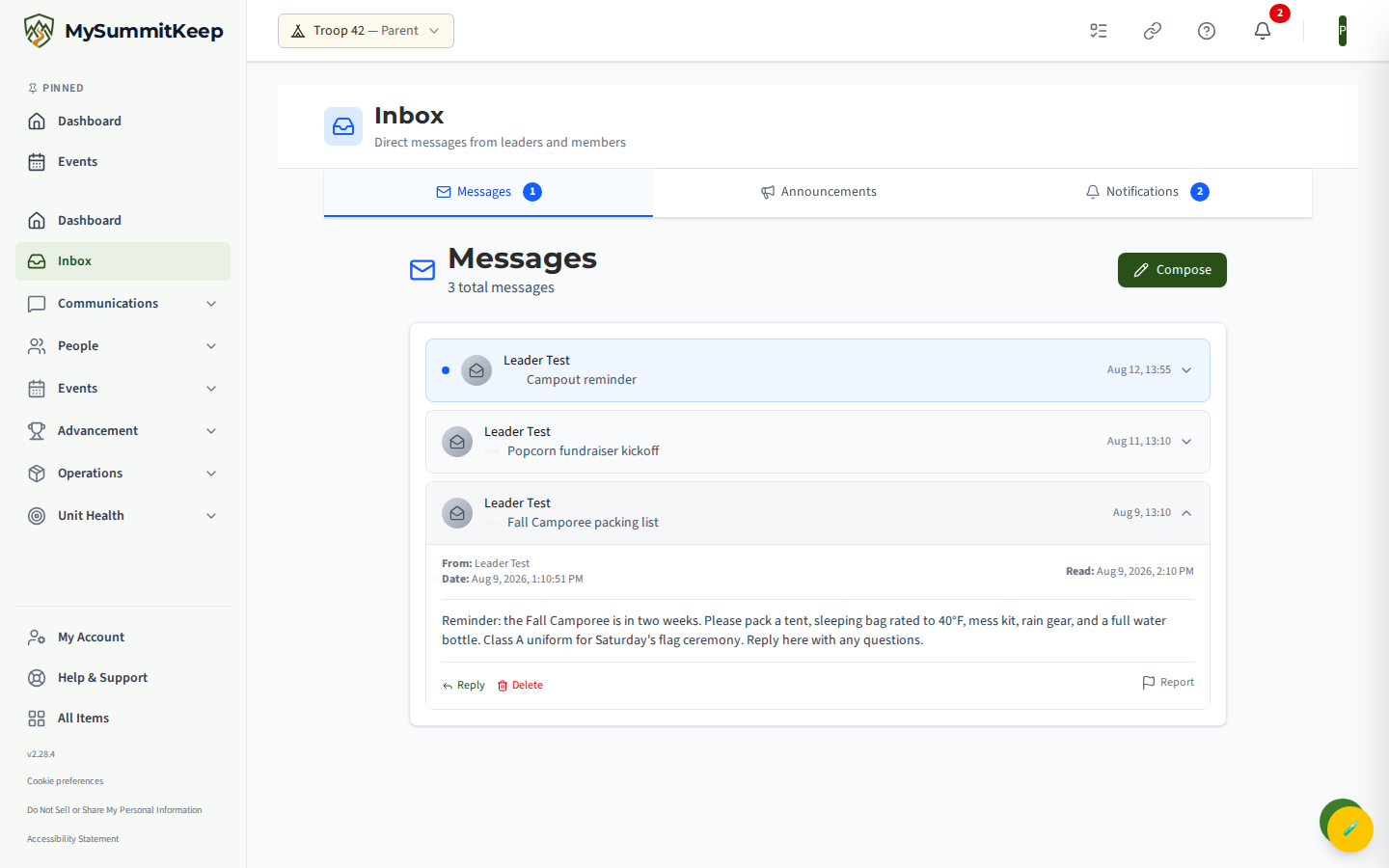
The Inbox itself is always on — you will always see your messages, announcements, and notifications here regardless of your email or text preferences. Switching tabs keeps your place, and the badge counts refresh automatically.
Reading and replying to messages
Section titled “Reading and replying to messages”Open any message in the Messages tab to read it. If a leader’s message needs a response, click Reply — the reply is pre-addressed to the sender with a Re: subject, so you just type and send. To start a new conversation, use the compose button and search for a leader or member by name or email.
You can delete a message from your own Inbox once you’ve handled it. Deleting removes it from your copy of the Inbox; it does not erase the conversation for the other person.
Reporting an unwanted message
Section titled “Reporting an unwanted message”Every message carries a Report action. If you ever receive something inappropriate, suspicious, or off-base, use Report on that message, pick a reason (Spam, Inappropriate, Harassment, Safety concern, or Other), and submit. Your unit’s leaders see reported messages in their moderation queue and follow up.
Copies of messages to your scout
Section titled “Copies of messages to your scout”When a leader’s in-app message reaches your Scout as one of a group — a group message, an event’s Message Attendees, a Remind unread follow-up, a reply to everyone on a group message, or a bulk message sent from the roster — you get your own copy in your Inbox. It starts with a line like “Sent to Alex — you’re copied as their parent or guardian, per Scouting America’s Youth Protection rules.” If two of your Scouts are on the same message, you get one copy naming both. You aren’t sent a copy if you’re already a recipient, or if you or your Scout’s other parent sent the message.
A Scout under 13 receives these messages only through you, and your copy says so: “This message was for Cub; it comes to you as their parent or guardian, per Scouting America’s Youth Protection rules.” To be copied, you need to be an active member of the unit who can sign in to MySummitKeep, and linked to your Scout as their parent or guardian in the unit. If no parent or guardian of your Scout can be copied, a Scout aged 13–17 gets these messages only with one other registered, SYT-trained leader of the unit on them instead (the Scoutmaster, an assistant, or the Committee Chair, never the leader who sent it); a Scout under 13 can’t be reached at all. Keep the family link current so the copy comes to you.
Emails follow the same rule: an email to a Scout aged 13–17 also goes to you, and for a Scout under 13 it comes to you instead. See How We Keep a Parent on Messages to Scouts.
Two kinds of message work differently and are not copied: a one-to-one direct message to a scout can only come from their own parent or guardian in the first place, and a channel post is covered by the Two-Deep Leadership check below. Both still show up on your scout’s activity feed.
Your scout’s activity feed
Section titled “Your scout’s activity feed”For a scout’s-eye view, open the Scout Activity Feed at /family/feed/{scout}. It gathers, most recent first, every message to or from your scout in the unit alongside milestone activity:
- Channel, direct, and group messages your scout sent or received.
- Advancement entries when your scout completes a rank requirement or merit badge.
- Event registration entries when your scout signs up for an event.
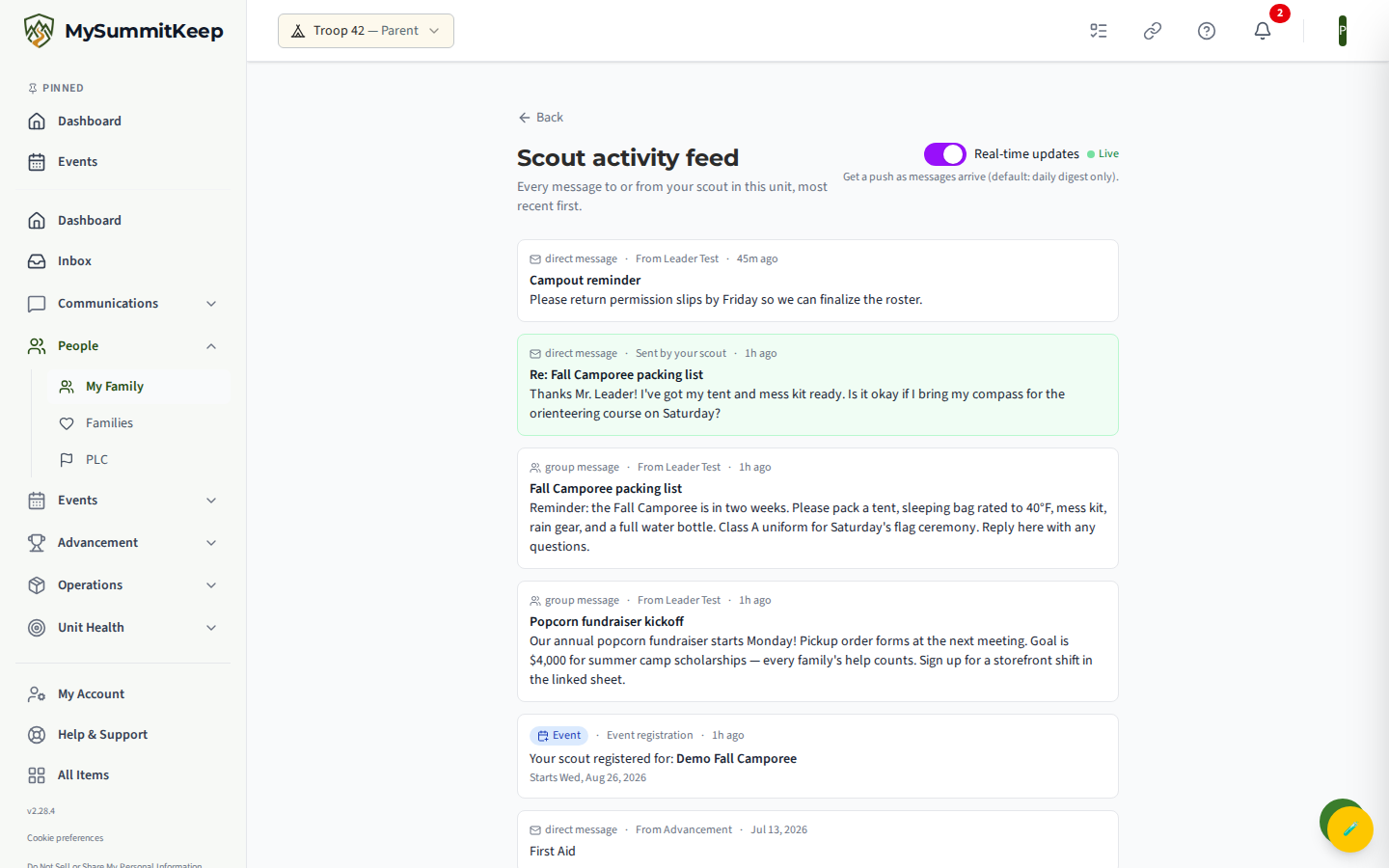
By default the feed delivers a daily digest. Flip the Real-time updates switch at the top of the feed to get an instant notification as new messages arrive instead. A green “Live” indicator confirms the connection is active. Older entries load with the Load older messages button at the bottom.
Youth-protection messaging
Section titled “Youth-protection messaging”MySummitKeep enforces BSA Two-Deep Leadership in any messaging channel that includes a youth. If such a channel doesn’t have at least two Safeguarding-Youth-current adults, the platform blocks all messages to it — the one exception being a parent or guardian of every youth in the channel. This prevents the single-leader-to-single-youth pattern that Youth Protection prohibits. You don’t configure anything for this; it runs automatically.
On top of Two-Deep, MySummitKeep’s broader rule is “when in doubt, copy a parent”: a message that reaches your Scout also reaches you, their own parent or guardian, and never a different family’s parent. If no parent can be reached, a Scout aged 13–17 can still get an email or in-app message when one other registered leader of the unit is on it instead; otherwise your Scout doesn’t get the message on that channel. Texts are never sent to a Scout’s own phone at all, because a text can’t copy a parent; turn texts on for your own number instead. See How We Keep a Parent on Messages to Scouts for exactly what that looks like on email, text, and in-app messages.
Choosing which emails you receive
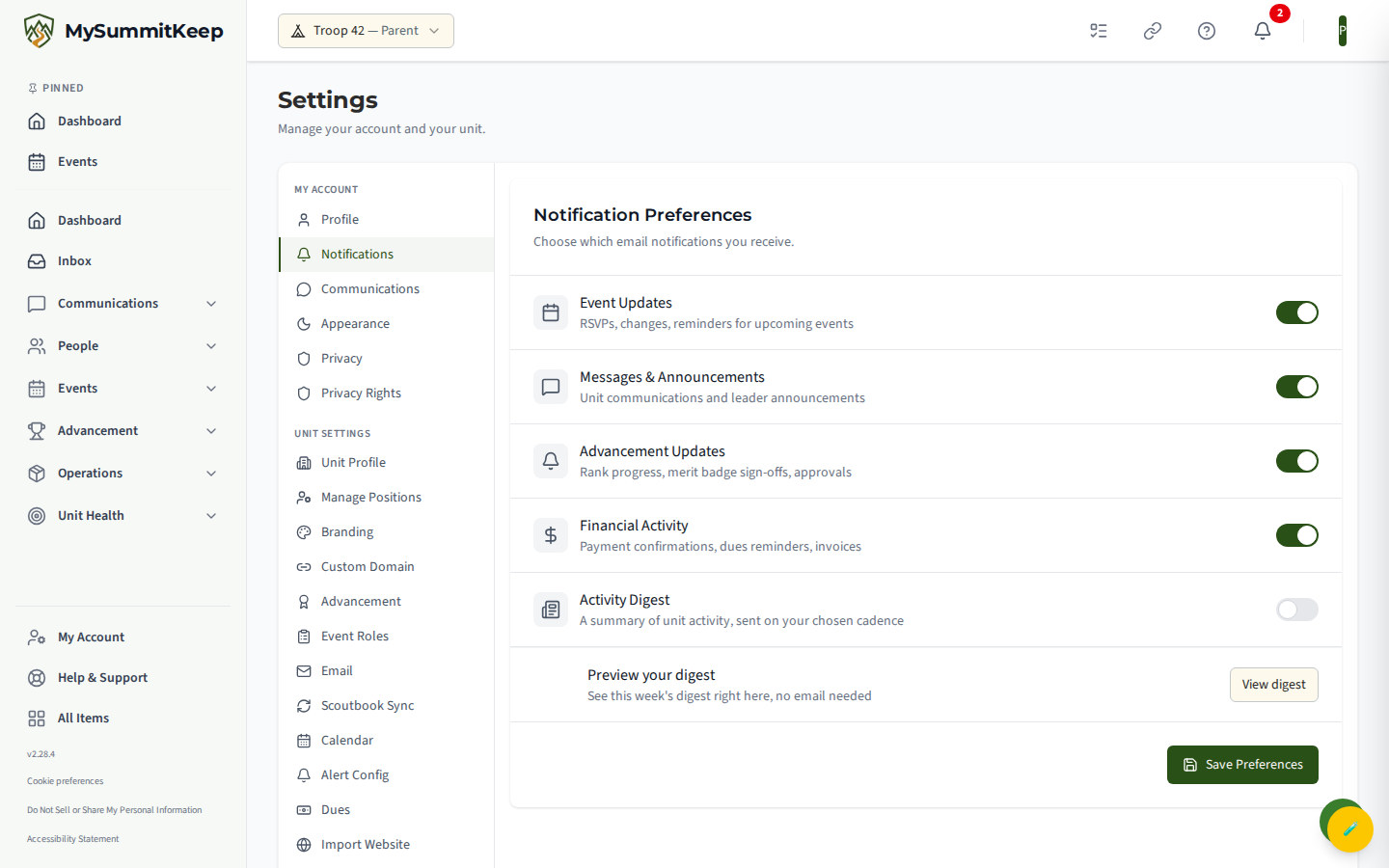
Section titled “Choosing which emails you receive”Open Settings → Notifications (/settings/notifications) to control your email notifications. This page governs email only — it does not change what you see in the Inbox. Toggle each category on or off, then click Save Preferences:
- Event Updates — RSVPs, changes, and reminders for upcoming events
- Messages & Announcements — unit communications and leader announcements
- Advancement Updates — rank progress, merit-badge sign-offs, approvals
- Financial Activity — payment confirmations, dues reminders, invoices
- Activity Digest — a summary of unit activity, weekly or monthly (choose under Digest frequency). Click View Digest to read your latest one on screen
As a parent or guardian of a Scout, you’ll also see One copy of my child’s automated emails. It’s off by default. Turn it on if you’d rather not get the very same email twice, once as yourself and once as the parent copied on your Scout’s email. You still get every such email once, and it never changes what your Scout receives. See One copy of my child’s automated emails for exactly when it applies.
Marketing email, text messages, and push
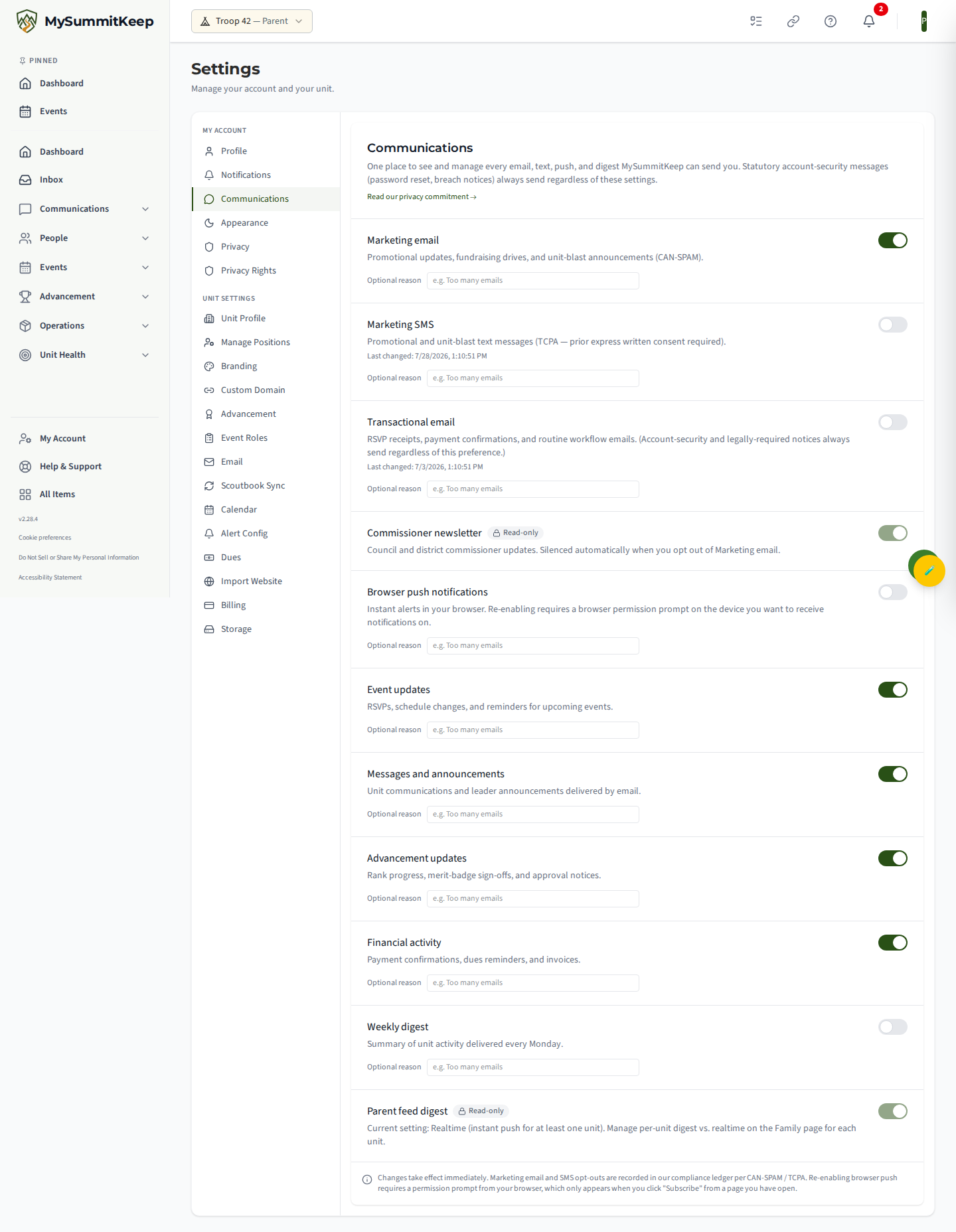
Section titled “Marketing email, text messages, and push”For the broader picture — promotional email, text messages, browser push, and digests — open Settings → Communications (/settings/communications). Each channel has its own toggle, and changes take effect immediately:
- Marketing email and Marketing SMS — promotional and unit-blast email and texts. These are opt-in; opting out is recorded in our compliance ledger (CAN-SPAM / TCPA).
- Transactional email — RSVP receipts, payment confirmations, and routine workflow email. (Account-security and legally required notices always send regardless.)
- Browser push notifications — instant alerts in your browser. Re-enabling requires a permission prompt from your browser, so it only works from a page you have open.
- The same email categories from the Notification Preferences page, plus a read-only Commissioner newsletter row and a read-only Parent feed digest status row.
Related: Your family page · RSVPing to events · Viewing scout progress
Need help? Contact support — we usually respond within one business day.
MySummitKeep is an independent product and is not affiliated with, endorsed by, or sponsored by Scouting America (formerly the Boy Scouts of America). Scouting America, Scouts BSA, Cub Scouts, Venturing, Sea Scouts, and the Order of the Arrow are trademarks of Scouting America. Official program content shown in screenshots and examples is © Scouting America; always confirm current requirements atscouting.org. SeeTerms § 7.3.