
My Patrol & Leadership Position
This guide is for you, the Scout. It covers two places in MySummitKeep that are about your patrol and your leadership: the Leadership Council workspace (your troop’s PLC) and the Elections page, where you vote for youth leaders — and run for a spot yourself.
Find it in the left menu: People → Leadership Council.
Managing the patrol roster (adding members, assigning positions) is done by your leaders and youth leaders. This guide is about what every Scout can do here: see the plan, use your council channel if you hold a position, and vote in elections.
Your Leadership Council (PLC)
Section titled “Your Leadership Council (PLC)”Open Leadership Council in the sidebar. In a Troop this is labeled PLC (Patrol Leaders’ Council); in a Crew or Post it’s Officers, and on a Ship it’s the Quarterdeck. It’s the same youth-led workspace either way.
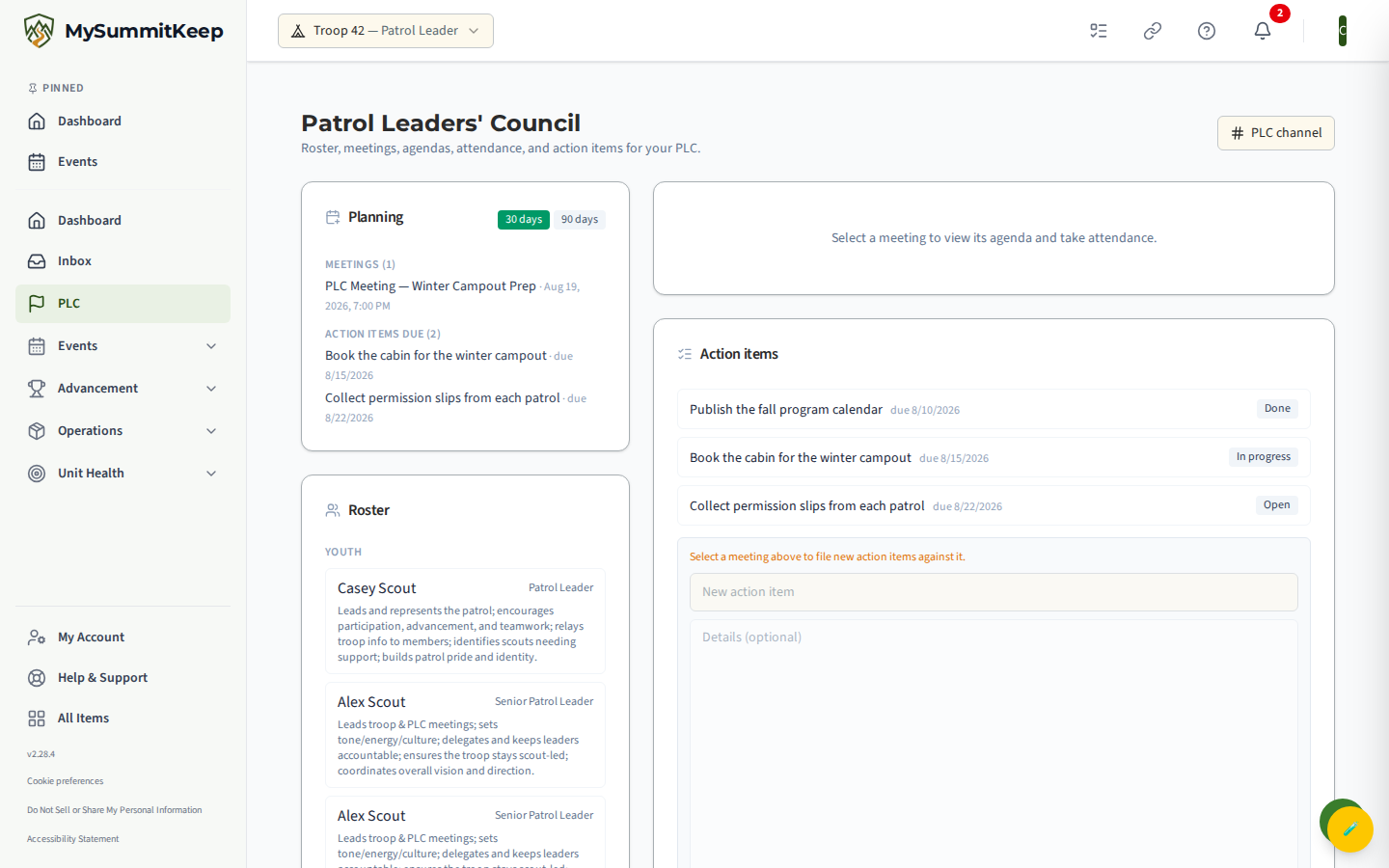
The page shows your council’s Planning view, the current Roster of who holds which position, the list of Meetings, and the Action items the council is working on. Every Scout can open it and see the plan — you don’t have to hold a position to look.
The 30 and 90 day plan
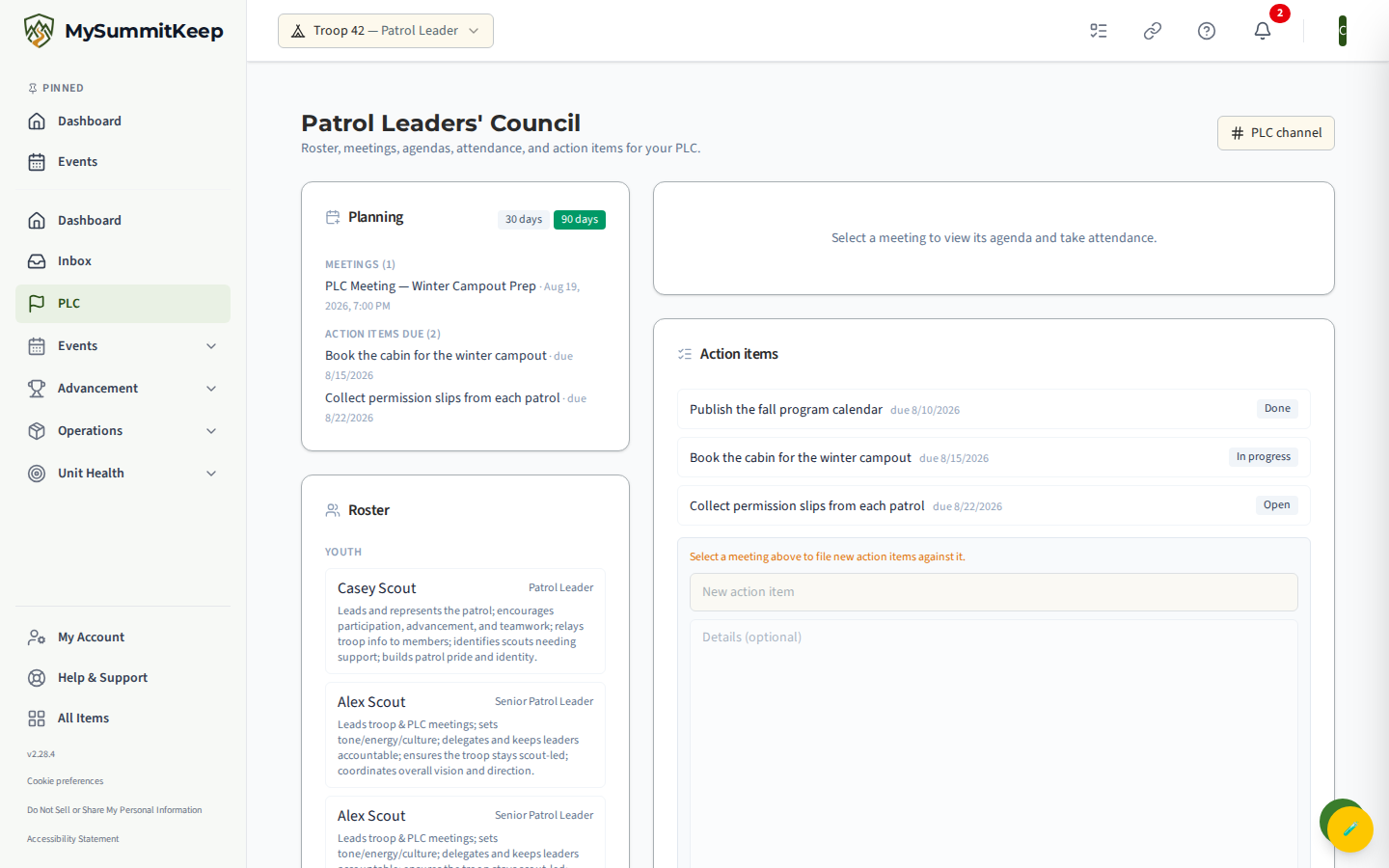
Section titled “The 30 and 90 day plan”The Planning card shows what’s coming up. Use the 30 days and 90 days buttons at the top of the card to switch how far ahead you’re looking. Each view lists the Meetings scheduled in that window and the Action items due in it, so you can see at a glance what the troop is planning and what still needs doing.
Your council channel
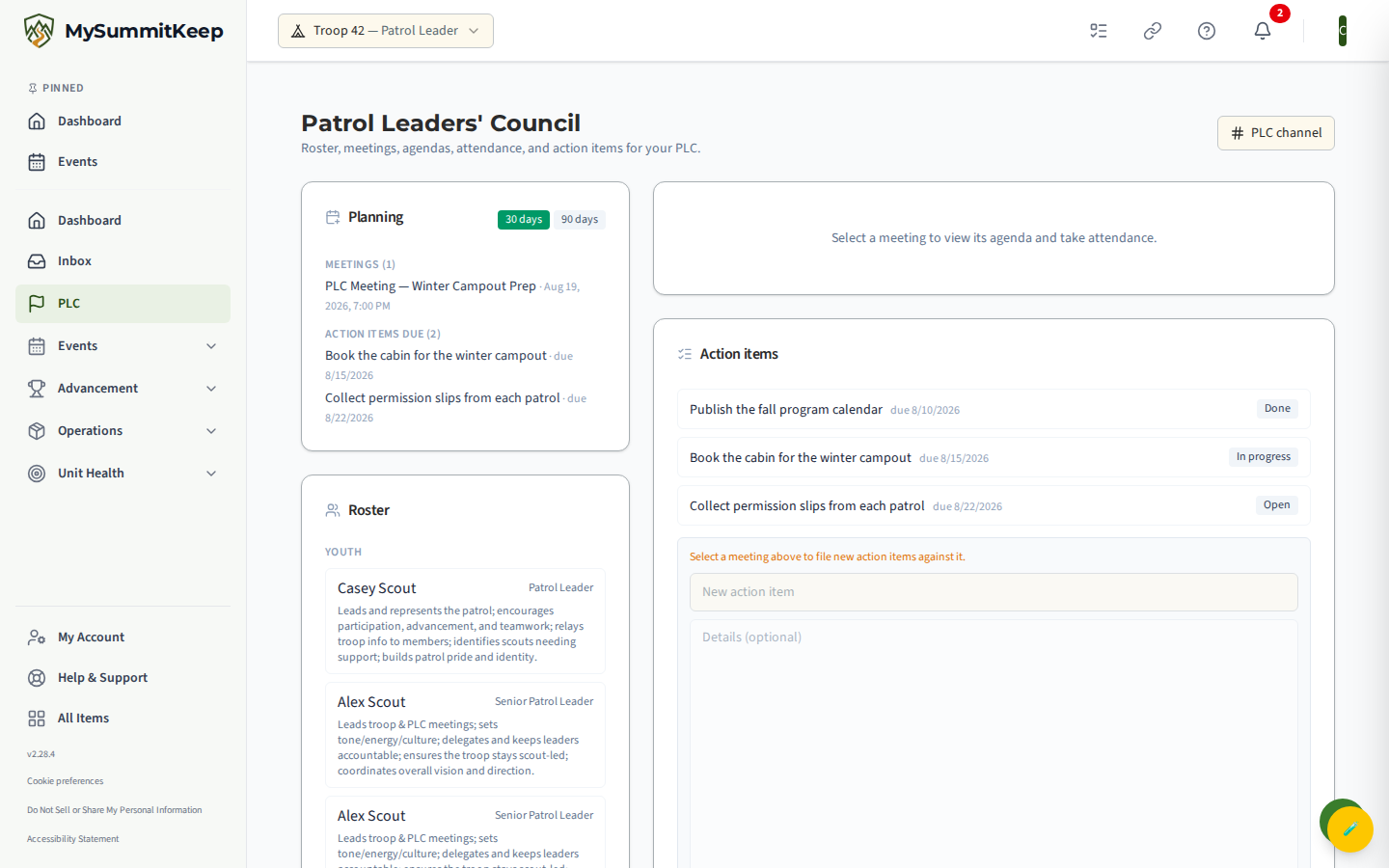
Section titled “Your council channel”If you hold a council seat — Patrol Leader, Senior Patrol Leader, Crew officer, and so on — a channel button appears in the top-right of the page (labeled something like PLC channel or Officers channel). Click it to jump straight into your council’s private channel, where the youth leaders coordinate between meetings.
If you don’t hold a seat, that button simply isn’t there — the channel is for council members. You can still see the planning, roster, and meetings on this page.
“Not available for this unit type”
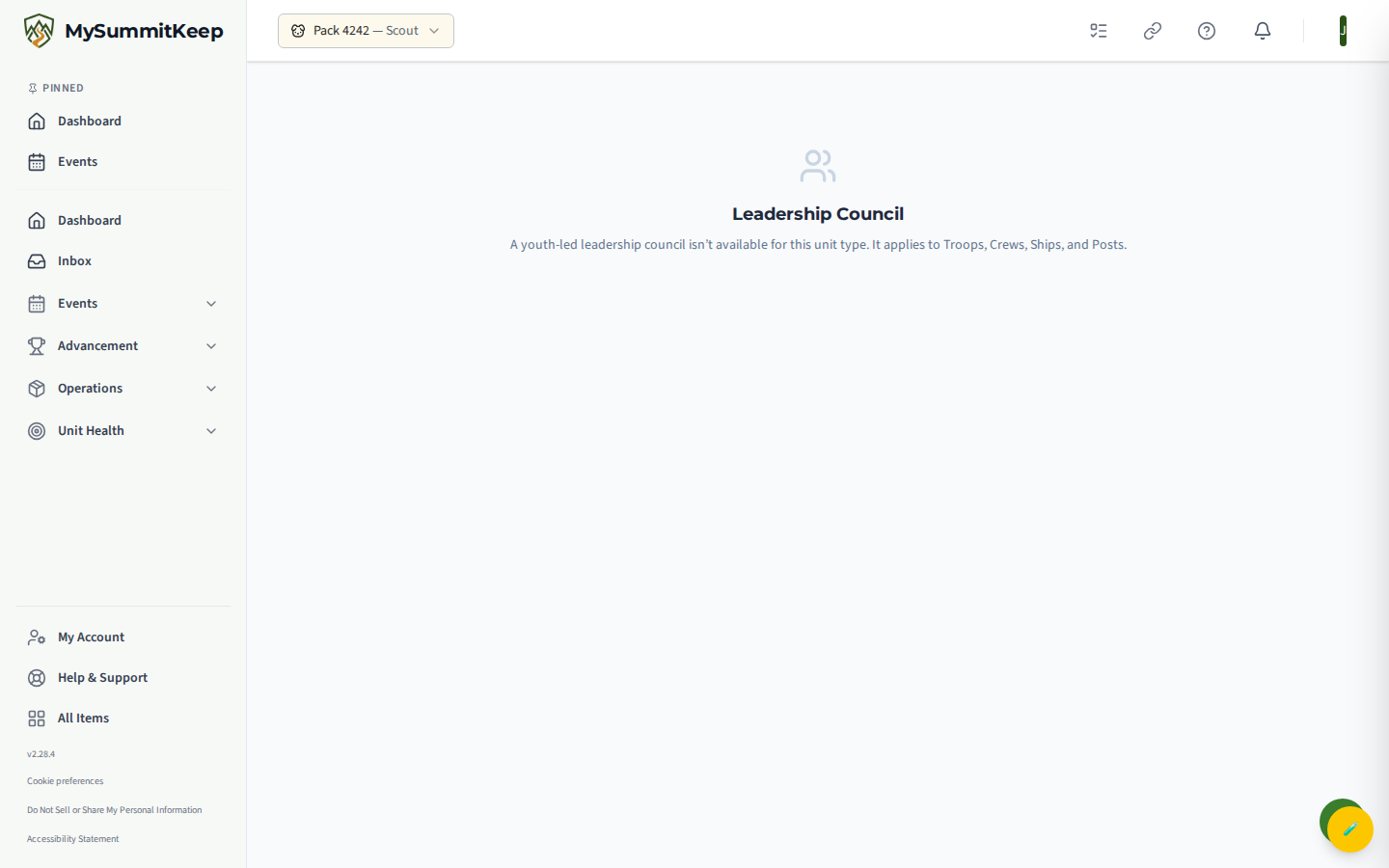
Section titled ““Not available for this unit type””The Leadership Council is for Troops, Crews, Ships, and Posts — units with a youth-led council. If your unit is a Pack, opening this page shows a friendly message that a youth-led leadership council isn’t available for this unit type. That’s expected, not an error — Packs are led differently.
Elections
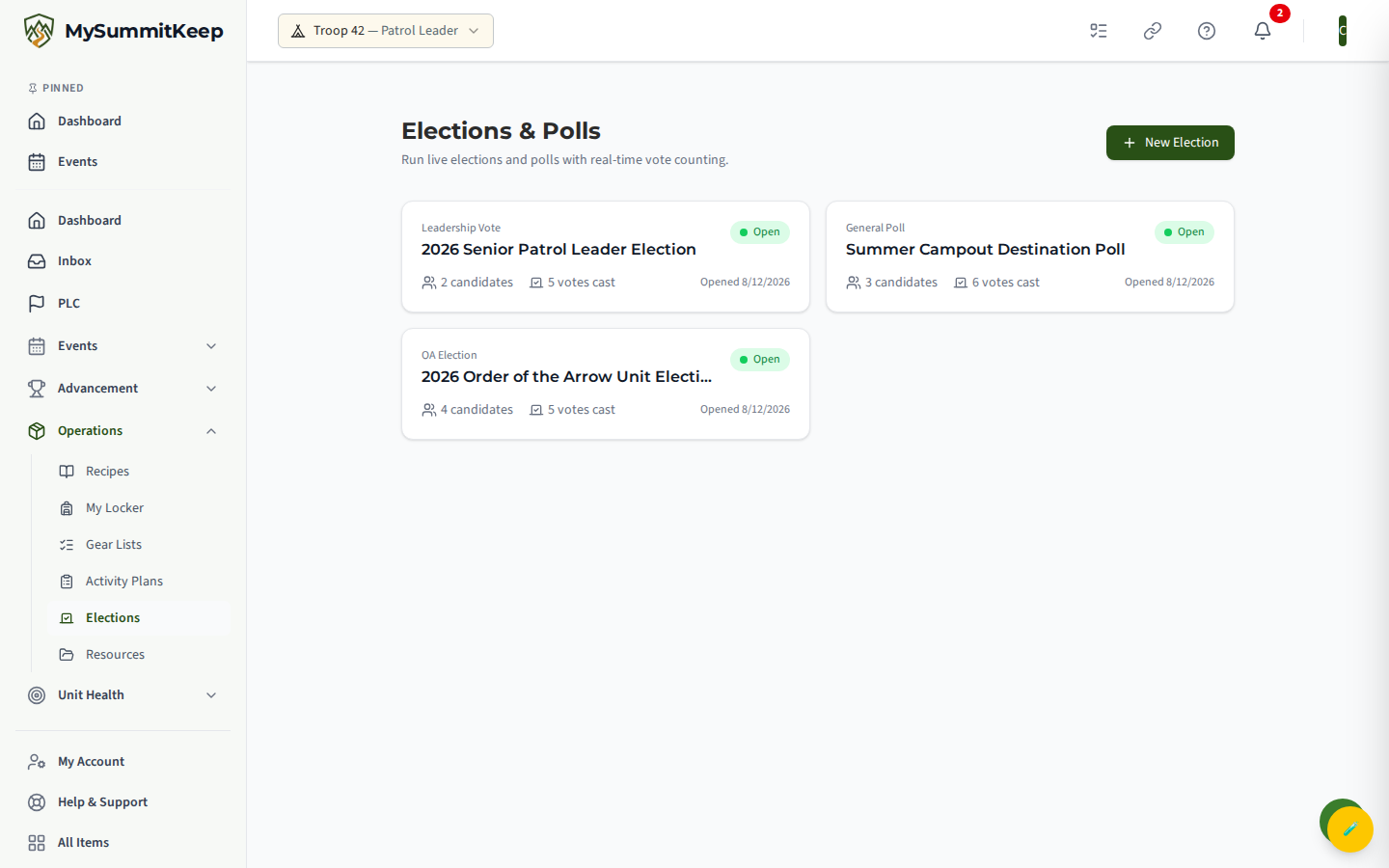
Section titled “Elections”Open Operations → Elections in the left menu. The Elections & Polls page lists every election and poll in your unit. Each card shows the type — OA Election, Leadership Vote, or General Poll — and a status badge: Draft, a green pulsing Open, Closed, or Approved. An open election is the one you can vote in right now.
Voting in an open election
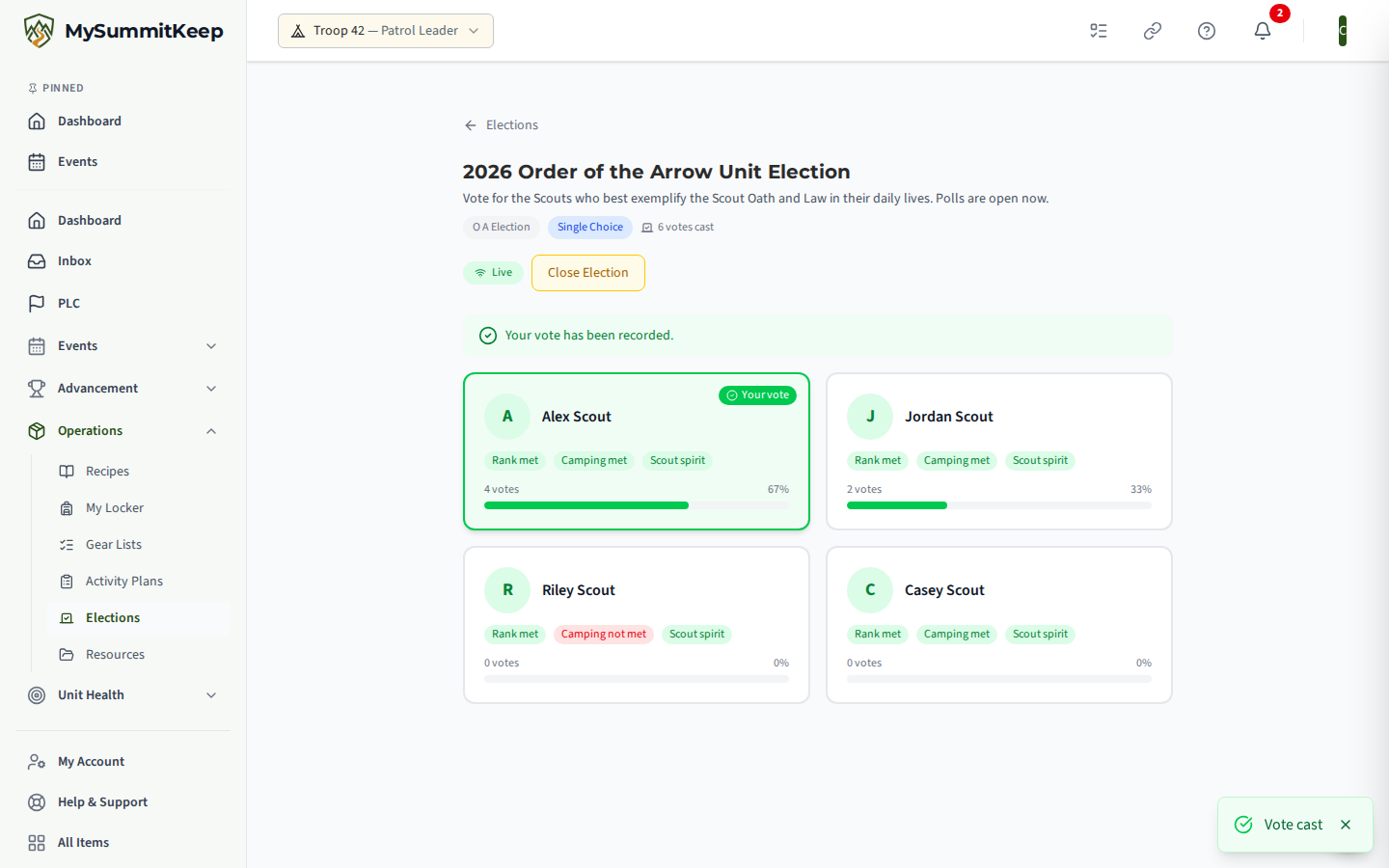
Section titled “Voting in an open election”Click an Open election to open its voting booth. You’ll see a card for each candidate. Find the person you want and click their Vote button. Votes count live — you’ll watch the totals tick up as your troop votes.
After you vote, the candidate you picked is marked Your vote, and a banner at the top reads Your vote has been recorded. You vote once. If the election is a Secret Ballot, the running counts stay hidden until it closes, and you’ll see a note that results are hidden until then.
Running for a position
Section titled “Running for a position”To run, you need to be added as a candidate before the election opens. A leader or the youth leader running the election adds candidates while it’s still a Draft, so let them know you want to run. Once you’re on the ballot, your name appears as a candidate card — your photo (or your initial), your name, and any eligibility badges the election uses.
For an OA Election specifically, candidate cards can show whether you meet the Rank, Camping, and Scout spirit requirements, so the troop sees who’s eligible. Meeting those is up to you and your advancement record — the election just reflects it.
When an election closes and results are approved, the winners show under Elected to Positions on the election page, so you can see who got each role.
Common questions
Section titled “Common questions”I don’t see a Vote button — the election is probably not Open yet (Draft), or it’s already Closed. You can only vote while it shows the green Open badge.
I want to run but I’m not on the ballot — candidates are added before an election opens. Ask the leader or youth leader running it to add you as a candidate while it’s still a Draft.
Where’s my council channel? — the channel button only appears on the Leadership Council page if you currently hold a council position. No seat, no button — talk to your patrol leader or SPL about positions, or see Running for a position.
My Pack doesn’t have a Leadership Council — that’s correct. The youth-led council is for Troops, Crews, Ships, and Posts.
Need help? Contact support — we usually respond within 1 business day.
MySummitKeep is an independent product and is not affiliated with, endorsed by, or sponsored by Scouting America (formerly the Boy Scouts of America). Scouting America, Scouts BSA, Cub Scouts, Venturing, Sea Scouts, and the Order of the Arrow are trademarks of Scouting America. Official program content shown in screenshots and examples is © Scouting America; always confirm current requirements atscouting.org. SeeTerms § 7.3.