
The Unit Ledger
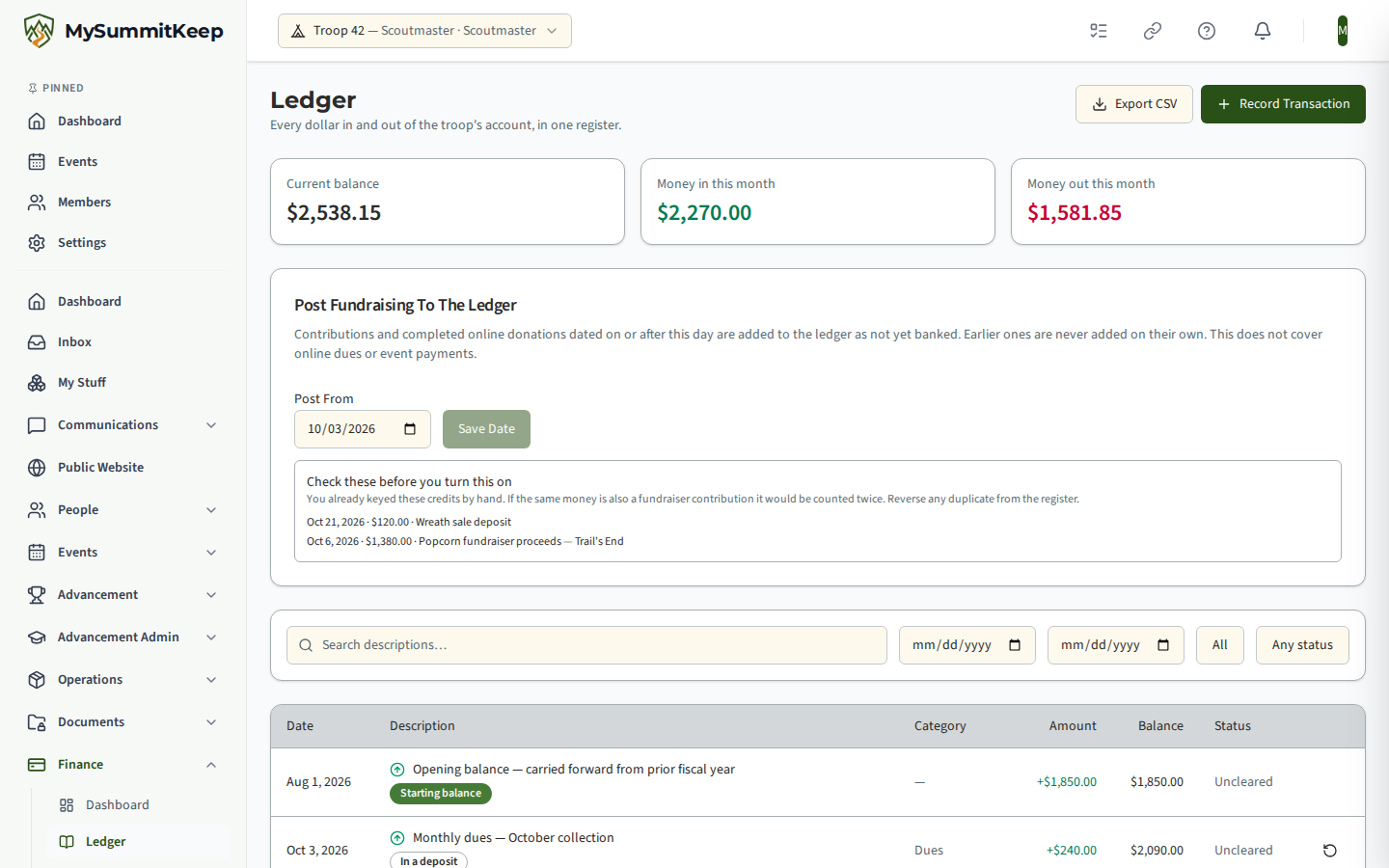
The Ledger at /financials/ledger is your unit’s own set of books: every dollar that moves in or out of the troop’s bank account, with a running balance. It is separate from Scout accounts — money a family holds — and separate from payments, which is how you collect. The ledger is where the troop’s own money lives.
Start with your opening balance
Section titled “Start with your opening balance”Before anything else, tell MySummitKeep what was already in the bank account.
Open Finance → Ledger in the left menu, choose Record Transaction, and tick This is our starting balance. Enter the amount that was in the account on the day you started tracking here, and the date.
You can only do this once. Everything after it is an ordinary transaction, and your balance is the opening figure plus every entry since. Skip this step and your balance will read too low forever — the dashboard will keep telling you it hasn’t been set.
Recording money in and out
Section titled “Recording money in and out”Choose Record Transaction and pick a direction:
- Money in — dues collected in cash, a fundraiser deposit, a reimbursement from the council.
- Money out — insurance, recharter fees, a campsite deposit, awards, gear.
Then fill in:
| Field | What it’s for |
|---|---|
| Amount | Always a positive number. Use the Money in / Money out buttons to say which way it went — never a minus sign. |
| Date | When the money actually moved, not when you’re typing it in. |
| Description | What it was for. This appears in exports and in the audit log. |
| Category | Optional but worth doing — “Camping”, “Insurance”, “Awards”. Categories are what make your annual budget work. |
| Fund | Optional. Use it for restricted money such as a campership fund, so you can tell it apart from general funds. |
Fixing a mistake
Section titled “Fixing a mistake”You cannot edit or delete a ledger entry. That is deliberate, and it is what makes the ledger trustworthy: a committee reviewing your books is looking at a record nobody can quietly rewrite.
Instead, use Reverse on the entry. That posts an opposing entry pointing back at the original, and asks you why. Both stay visible in the register and the two cancel out — so the balance is right, and the history shows what happened and when.
This is normal bookkeeping practice, not a limitation. If you recorded $50 twice, reverse one of them with the reason “recorded twice by mistake” and move on.
Finding things
Section titled “Finding things”The register is filterable by date range, direction, cleared status, and description text. Two states look similar but mean different things, so the page says which you’re in:
- “Start your ledger” — you have no entries at all yet.
- “No transactions match these filters” — you have entries, they’re just outside what you asked for. Clear the filters to see them.
Exporting for the committee or the next treasurer
Section titled “Exporting for the committee or the next treasurer”Export CSV downloads exactly what your filters currently show — not everything, and not something different from what’s on screen. That means you can export “last fiscal year, expenses only” and hand over precisely that.
The CSV is the handover artifact. When a treasurer changes over, export the full register and give it to the next person along with the bank statements.
Reconciling against the bank
Section titled “Reconciling against the bank”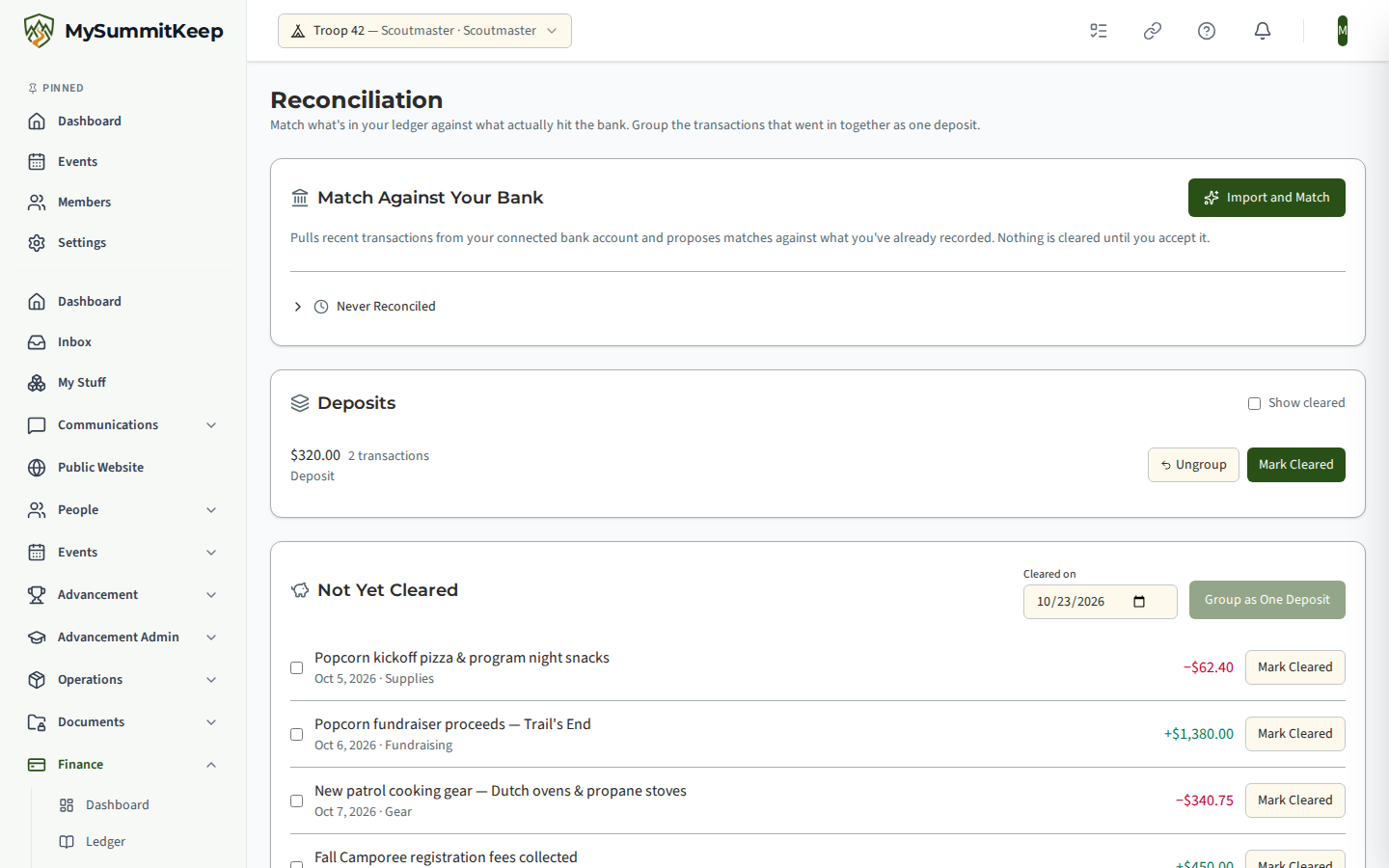
Reconciliation lives at /financials/reconciliation and answers one question: does what we recorded match what the bank actually did?
Deposits: several payments, one bank line
Section titled “Deposits: several payments, one bank line”The commonest mismatch is that you took fifteen dues payments to the bank as one deposit. Your ledger has fifteen entries; the bank statement has one line.
Select those entries and choose Group as One Deposit. From then on the group is treated as a single item worth the total, which is what the bank will show. Everything in a group has to go the same direction — you can’t mix money in and money out into one deposit — and the button explains that if you try.
If you group the wrong things, Ungroup puts them back, as long as nothing in the group has cleared yet.
Marking things cleared
Section titled “Marking things cleared”Mark Cleared records that an entry (or a whole deposit) has actually shown up on the statement. Cash and cheques never touch a bank feed, so this is how you reconcile them by hand.
Automatic matching
Section titled “Automatic matching”If your unit has connected a bank account, Import and Match pulls in recent transactions and proposes matches against what you’ve recorded. Nothing is cleared until you accept it. Where several of your entries could match the same bank line, the page says so and asks you to decide rather than guessing.
Never Reconciled shows bank transactions you’ve never matched to anything — across all time, not just this session. That is the list that catches a deposit you missed three months ago.
Related
Section titled “Related”- Financial Dashboard & Unit Payments — the overview screen and collecting from families.
- Annual Budget & Year-End — planning the year and closing the books.
- Scout Accounts — per-Scout balances, which are separate from unit money.
- Event Budgets — costs and income for one event.
MySummitKeep is an independent product and is not affiliated with, endorsed by, or sponsored by Scouting America (formerly the Boy Scouts of America). Scouting America, Scouts BSA, Cub Scouts, Venturing, Sea Scouts, and the Order of the Arrow are trademarks of Scouting America. Official program content shown in screenshots and examples is © Scouting America; always confirm current requirements atscouting.org. SeeTerms § 7.3.