
Unit History And The Our History Section
Every unit has a story that started long before it used MySummitKeep. Unit History is where a leader records it: the year the unit was founded, the Eagle Scouts and other honorees from earlier years, the people who led the unit, and the moments worth remembering. Your public website can then show an Our History section, with a Hall of Fame, a leadership timeline and a milestone timeline.
Who can do this: a unit admin, someone who holds the unit-settings permission (Settings.Update), on the Summit plan. Youth Historians cannot edit unit history, because the people involved may be minors.
Where to find it: Settings, then Unit History in the Unit Settings group, at /settings/unit-history.
Founding and charter
Section titled “Founding and charter”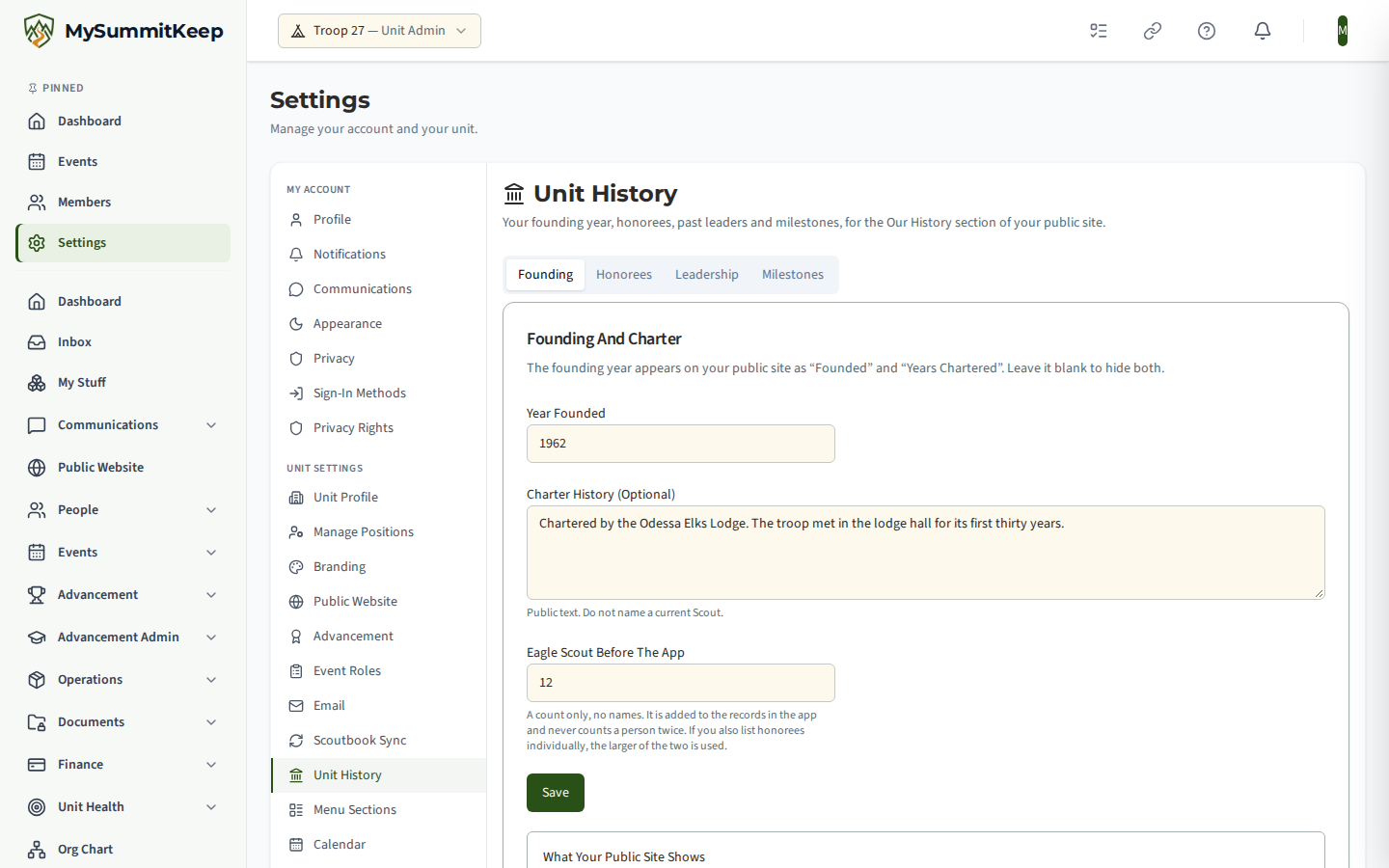
- Year Founded can be any year from 1910 to this year. Clear it to hide it. When it is set, your public site’s stats band shows Founded and Years Chartered, and your Eagle Wall says “since” that year. When it is blank, those tiles do not appear at all.
- Charter History is a short public note, such as who chartered the unit.
- Before The App is a count of top-rank recipients (Eagle Scouts for a troop, Arrow of Light for a pack) from before you used MySummitKeep. It is only a number. It is added to the records in the app on your Eagle Wall, and a person is never counted twice. If you also list honorees one by one, the larger of the two numbers is used, not the sum.
The preview under the form shows the total exactly as your public site will show it.
Honorees
Section titled “Honorees”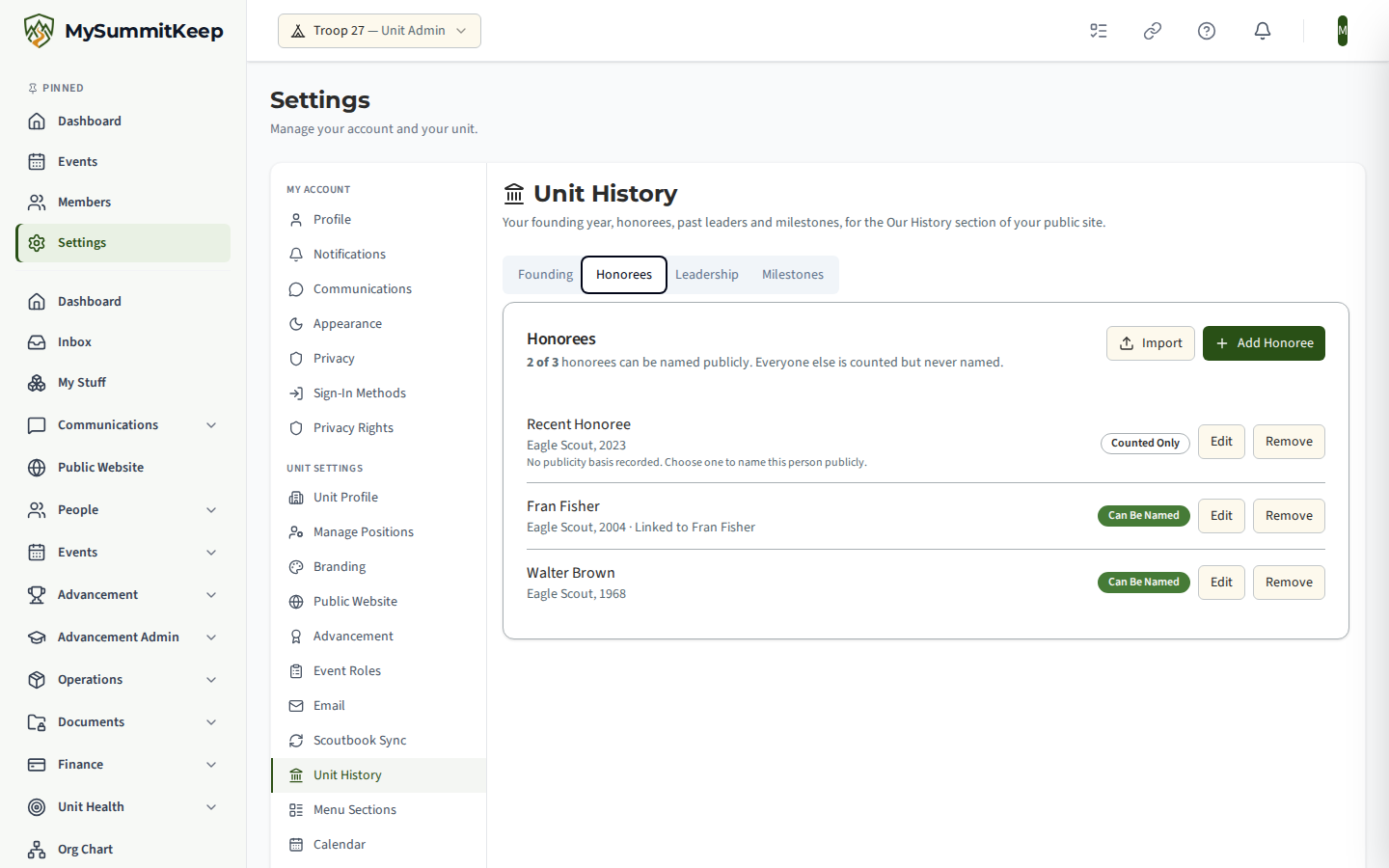
Add honorees one at a time, or choose Import to paste or upload a list with the columns Name, Award, Year and Note (comma or tab separated). A template is available to download. The import reads up to 2,000 rows, skips people already in the list, and tells you which rows have a problem and why. Imported people start out Counted Only, and you review each one afterwards.
Imported history is kept apart from your Scouts’ real advancement records. Nothing here changes anyone’s rank or badge record.
Who can be named publicly
Section titled “Who can be named publicly”Your public site names a person only when all of the rules below allow it. The page tells you, for each person, whether they can be named and why not.
| Person | When they are named |
|---|---|
| Linked to a member | Only when that member (or their parent) has given public-site consent for their name and achievements. Nothing you choose can override it. If consent is withdrawn, the name disappears from the public site on the next refresh, within a few minutes. |
| Not linked to a member (from before the app) | Only when you record a basis, and the award is at least 18 years old. The bases are: the person has died, the person agreed to be named (you attest to this), or the recognition is already a published public record. |
| Everyone else | Counted in the totals, never named. |
Public names are always a first name and a last initial, for example “Marcus R.”. Photos are shown only where a photo is allowed for that person, and never for a current or recent youth member, even one who has consented. The photo upload is turned off for them. The line N of M honorees can be named publicly at the top of the tab keeps you informed.
Leadership and milestones
Section titled “Leadership and milestones”Record each leader with a role and the years they served, such as “Scoutmaster, 1962 to 1975”. Leaders follow the same naming rules as honorees. A current youth member cannot be typed in by name: a youth leadership role (such as Senior Patrol Leader or Den Chief) must be linked to the member, so the family’s own publishing consent applies. Typed names are for past adult leaders. Milestones are a year, a title and an optional description of up to 1,000 characters.
Showing it on your public site
Section titled “Showing it on your public site”In the Site Builder, add the Our History section to a page (it is not added for you). The section hides itself while it has nothing to show. You can switch off any block in its editor: founding and charter, Hall of Fame, leadership, milestones and alumni. The Eagle Wall’s See all names link points to the Hall of Fame when one of your pages has this section.
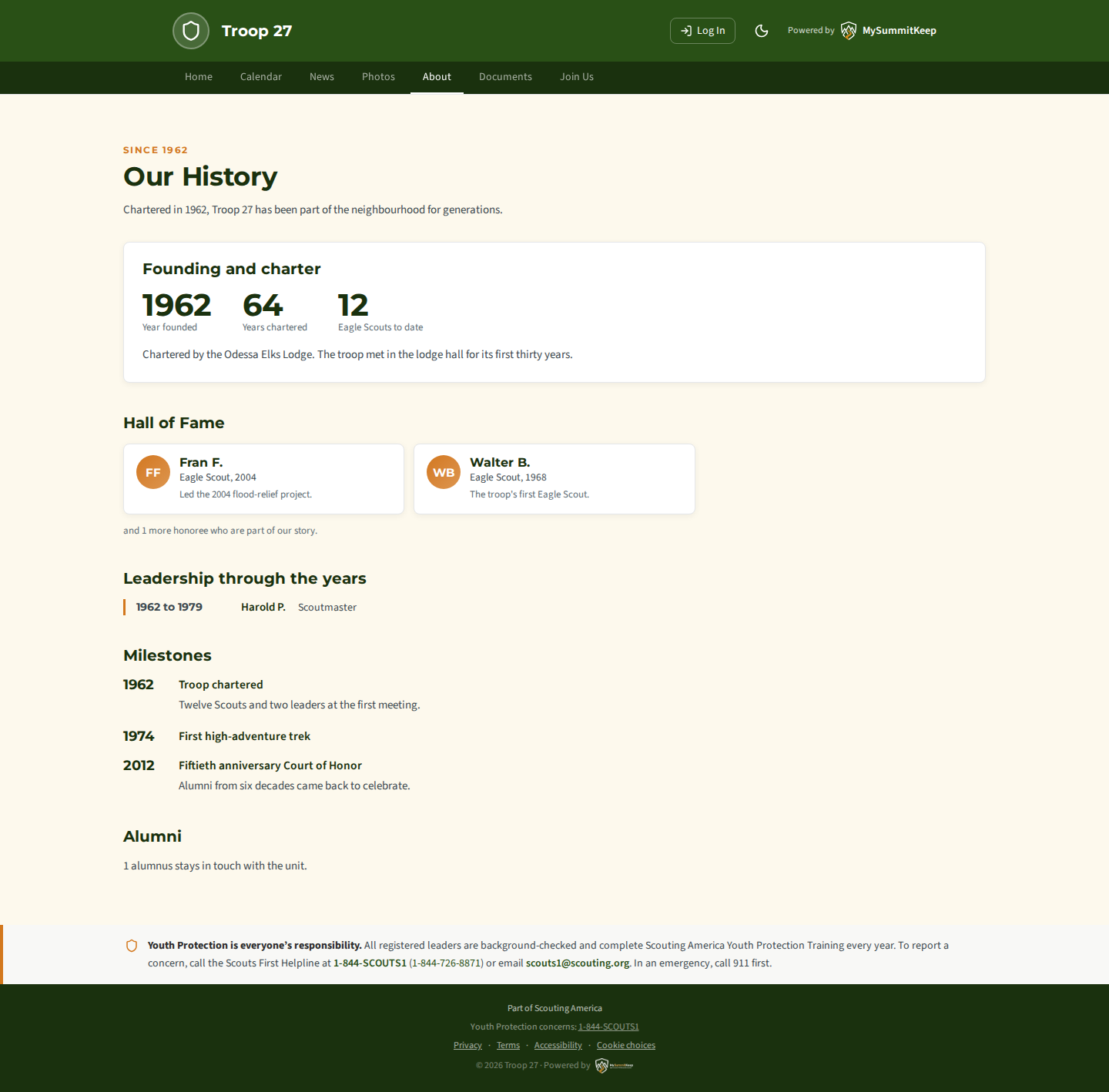
Alumni on the page
Section titled “Alumni on the page”If your unit uses the alumni list, the section can show a line such as “38 alumni stay in touch”. It never shows names from the private alumni list. A former member can additionally choose, through their own link after joining the list, to be shown on the public page with their first name and last initial, the years they were active and a short line they write themselves. A leader cannot do this for them, and they can withdraw at any time. That option is not available until it is switched on for your unit. The line a former member writes is checked before it is saved. If it is refused for its wording, for example because it names a current Scout or contains contact details, reword it and save again.
Privacy and removal
Section titled “Privacy and removal”- Everything on this page can be removed at any time, and it disappears from your public site within a few minutes.
- When a member’s data is erased on request, their honoree and leadership entries are unlinked and their name and notes are blanked; the unit’s counts stay correct.
- The change log records that an entry changed, never the names or text in it.
MySummitKeep is an independent product and is not affiliated with, endorsed by, or sponsored by Scouting America (formerly the Boy Scouts of America). Scouting America, Scouts BSA, Cub Scouts, Venturing, Sea Scouts, and the Order of the Arrow are trademarks of Scouting America. Official program content shown in screenshots and examples is © Scouting America; always confirm current requirements atscouting.org. SeeTerms § 7.3.